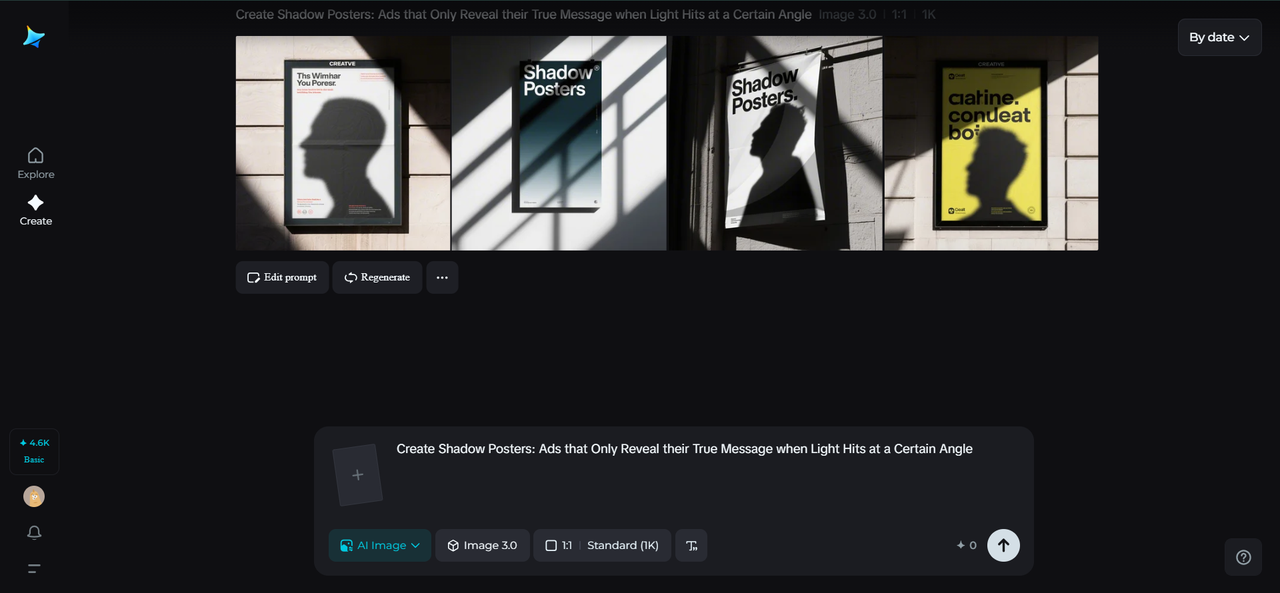
Shadow Posters: Ads that Only Reveal their True Message when Light Hits at a Certain Angle

There’s something irresistibly cinematic about a shadow. It conceals, it taunts, and when it finally discloses, it turns the mundane into an experience of revelation. Shadow posters apply that magic to the creators of advertising—crafting imagery that only comes fully into view when the light strikes at just the right degree.

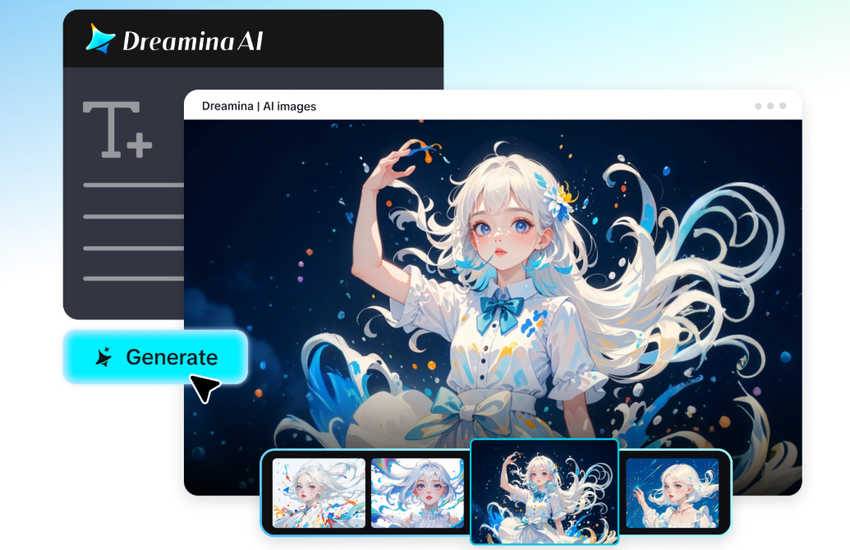
Imagine strolling through a city at sundown and catching sight of a wall that changes as light shifts—an ordinary graphic instantly making visible an otherwise invisible message, a logo, or even an alternate image. These are not posters; they’re experiences that tease perception. With the help of tools such as Dreamina and inspired by creative design experiments through an AI photo generator, artists and marketers can now choreograph these light secrets with digital finesse.

AI photo generator

Each flicker of light is a co-designer, making each viewer’s experience a unique moment of discovery.

Light as language: storytelling that evolves over time

Shadow posters approach light as a narrative. Rather than fixed images, they rely on motion—the sun’s, the streetlights’, or even passing headlights of a car. This philosophy of design elevates ads from being viewed to being found.

Light as language

At their most effective, these posters, created by Dreamina’s AI poster generator, transform a wall into an active storytelling tool. The graphics conceal ancillary messages or visual planes that only reveal themselves as light travels over them, teasing curiosity with astonishment.

Some innovative means by which brands are using this light medium include:

  • Temporal storytelling, whereby morning light exposes one message and evening light another.
  • Kinetic typography, with shadow-cast letters that morph or evaporate.
  • Emotional resonance, wherein light intensity reflects mood—such as an optimistic glow piercing somber imagery.

It’s not merely a visual illusion—though an illusion it is—it’s a reminder that meaning itself is transitory, fluid, and beautifully timed.

Designing illusions that encourage interaction

What is most compelling about shadow posters is that they rely on the surroundings. The location of the observer, the direction of the light, even the time of day—all change the result. This unreliability makes every moment of interaction feel unique and vibrant.

To achieve such reactive graphics, designers usually stack materials with various transparencies, textures, or reflective finishes. Digital mockups, however, allow them to see how interactions will occur before production. That’s when AI logo generator software is called into action—enabling designers to test how shadows will form around logos or symbols, how brand marks deform under moving light.

Essentially, these devices make branding choreography. Logos don’t stay fixed—they stretch, dissolve, and glimmer as if being danced to by unseen music. The payoff? A campaign that’s moved both physically and emotionally.

Painting with light: making your own shadow posters with Dreamina

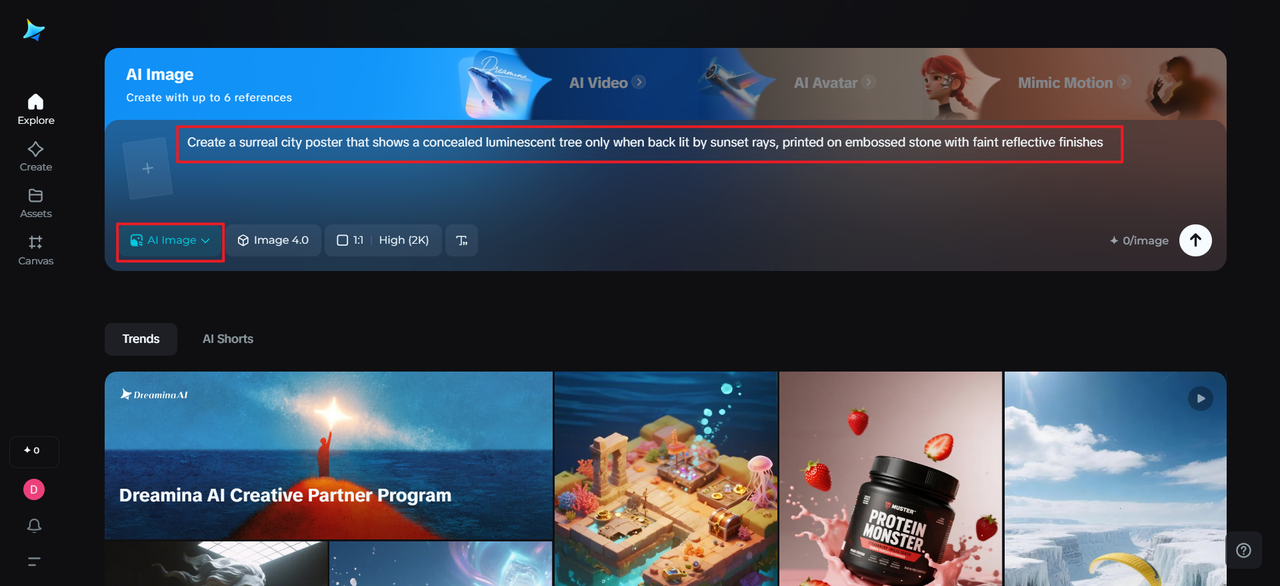
Write a text description

Step 1: Write a text description

Begin your artistic experiment by going to Dreamina. Visualize your poster as not a flat image but as a layered deception that pulsates with light. Craft a text brief that encompasses this two-sidedness.

For example, you might write: A surreal city poster that shows a concealed luminescent tree only when backlit by sunset rays, printed on embossed stone with faint reflective finishes.

This amount of detail assists Dreamina in grasping both the mood and feeling behind your concept.

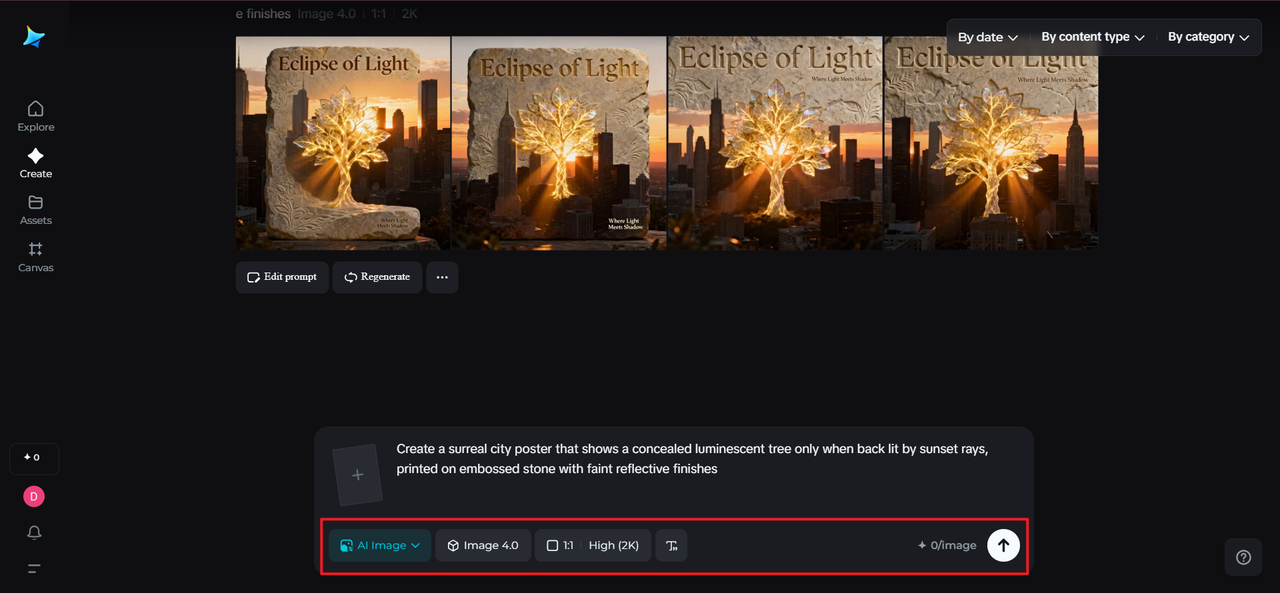
Step 2: Refine parameters and generate

Refine parameters and generate

When your prompt appears to be great for you, adjust your settings. Choose your model, aspect ratio, and size, and then set the resolution at either 1k or 2k for better texture and depth. When everything looks good, click on the Dreamina icon to generate. You are now a witness to your generated design, and every result is a play of shape and light.

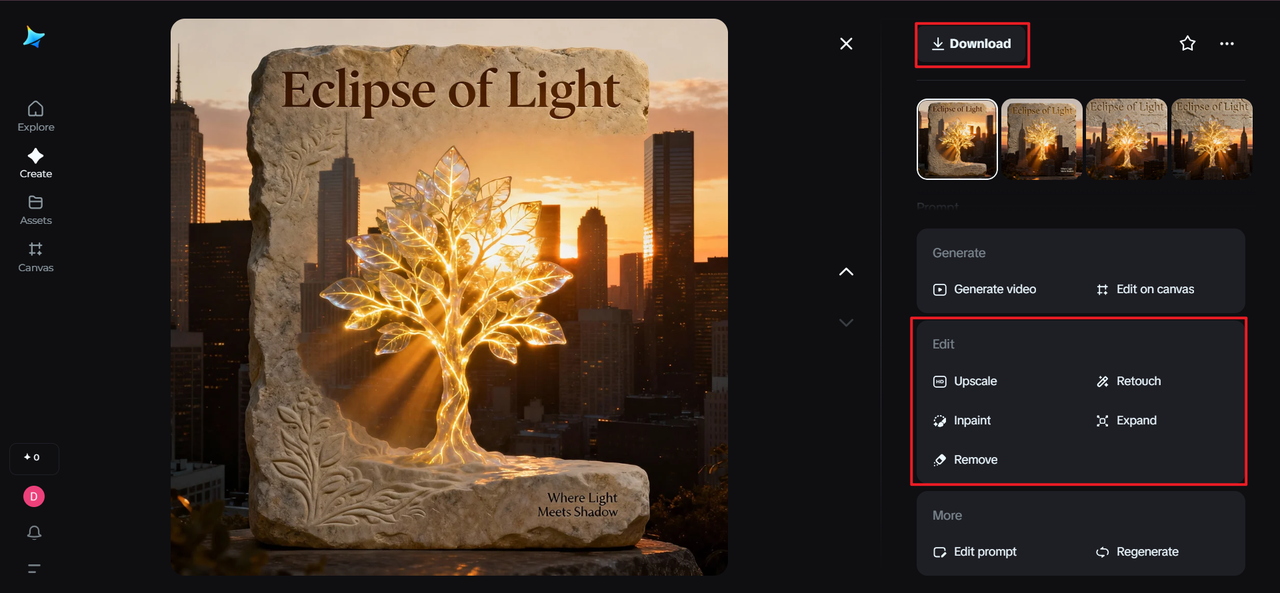
Step 3: Edit and download

Edit and download

Dreamina’s AI customization tools allow you to tweak your masterpiece with precision. Apply inpaint to insert hidden details revealed by light, expand to widen the composition, remove to eliminate distractions, or retouch to place reflective highlights. When the finished piece feels just right, click the Download icon to preserve your luminous, shadow-dancing piece.

The beauty of slow revelation

In an age of immediacy addiction, shadow posters bring back the indulgence of delay. They compel individuals to stop, take another look, and understand that not all is on the surface. That stillness of waiting makes the final reveal intimate—a secret shared between the art and the beholder.

This aspect of deferred gratification turns mundane cityscapes into sets for awe. An unadorned underpass or store wall façade may be a moment of cinematic epiphany. And since each light angle offers a slightly different tale, these posters remain new—freshly half-knew and half-new.

With Dreamina, the designers can test-drive these temporary transitions prior to their real-world existence, predicting exactly what the light will do. The virtual and tangible come together and give birth to an entirely new visual storytelling genre.

Cities as silent collaborators

Cityscapes are living ecosystems—full of shifting light, glassy reflections, tactile walls, and ever-changing weather. Rather than regarding these variables as creative obstacles, shadow posters welcome them in as co-creators. The city itself becomes a part of the artwork.

A designer may trace the path of morning sunlight across the façade of a building, or of passing car headlights sweeping across a wall. By employing these natural movements, they choreograph the entry and exit of a message during the course of the day. It’s an ecological method of advertising—a harmonizing with rhythm and atmosphere rather than controlling them.

When the shadows begin to speak

Outside of design, shadow posters have a poetic heft that is deeper. They tell us that meaning is often found in the not-seen—that light and darkness are complementary, not contradictory. To marketers, that’s a chance to craft messages that compensate curiosity and move emotion without screaming for notice.

By using AI generators like Dreamina, designers can explore infinite possibilities for light behavior, depth, and layering. With moonlit campaigns to radiant storefront unveilings, each output can have the magic of timing and change.

At the end of the day, it’s about finding magic in the mundane. With Dreamina as your design partner, you can allow your designs to breathe, change, and unfold themselves—transforming a lifeless poster into something that exists in perpetual motion, speaking softly to those who bother to listen.

Ajwa Dates for Ramadan & Daily Use – Buy Online in Pakistan Easily

Ajwa dates are among the most famous and highly valued types of dates worldwide. Known for their soft texture, rich taste, and numerous health benefits, Ajwa dates are a favorite among families, especially during Ramadan and other special occasions. If you want to enjoy high-quality Ajwa dates without any hassle, the best way is to buy Ajwa dates online in Pakistan. Online shopping makes it easy, safe, and convenient for everyone.

Why Choose Ajwa Dates?

ajwa khujoor

Tasty dates are not just delicious; they are also very healthy. They are rich in vitamins, minerals, and antioxidants, which help boost energy, improve digestion, and support overall health. Eating Ajwa dates regularly can also help maintain heart health, strengthen immunity, and provide instant energy. For many people in Pakistan, Ajwa dates are a traditional food, especially during Ramadan, when they are commonly used to break the fast.

Convenience of Buying Ajwa Dates Online

In the past, people had to visit markets or shops to buy Ajwa dates. Sometimes, it was difficult to find fresh and high-quality dates, especially in smaller cities or towns. Today, you can easily buy Ajwa dates online in Pakistan from trusted online stores. Online shopping saves time and effort because you can order from the comfort of your home. With just a few clicks, your favorite dates are delivered directly to your doorstep.

Online stores in Pakistan offer different pack sizes and qualities of Ajwa dates. Whether you want a small pack for personal use or a large quantity for family gatherings, you can find it online. Many sellers also provide guarantees of freshness and authenticity, so you can be confident that you are getting premium-quality Ajwa dates.

Benefits of Buying Ajwa Dates Online in Pakistan

1. High Quality and Freshness

When you buy Ajwa dates online in Pakistan, you can ensure they are fresh and high-quality. Online sellers usually source dates directly from farms or trusted suppliers, which means they are properly stored and handled before reaching you. Fresh dates are softer, sweeter, and more nutritious than older or poorly stored dates.

2. Variety of Options

Online shopping allows you to choose from a variety of Ajwa dates. You can select dates based on size, sweetness, packaging, or even organic options. This variety is often not available in local markets, especially in smaller cities. By shopping online, you can find the exact type of Ajwa dates you prefer.

3. Safe and Convenient Delivery

One of the biggest advantages of online shopping is home delivery. When you buy Ajwa dates online in Pakistan, you don’t have to worry about carrying heavy packs or traveling long distances. Online sellers deliver your order safely and quickly to your doorstep. Some sellers even offer cash on delivery, making the process easier for everyone.

4. Cost-Effective

Buying Ajwa dates online can also be cost-effective. Many online stores offer discounts, special deals, and bulk purchase options. You can compare prices from different sellers and choose the best option without wasting time visiting multiple shops. This ensures you get the best quality at the right price.

How to Choose the Best Online Store

buy Ajwa dates online in Pakistan

When you decide to buy Ajwa dates online in Pakistan, it is important to select a trusted online store. Here are some tips to help you choose the best seller:

  • Check reviews and ratings from previous customers.
  • Look for sellers who provide a freshness guarantee.
  • Compare prices and pack sizes to get the best deal.
  • Make sure the seller provides secure payment and reliable delivery options.
  • Look for special certifications or authenticity marks to ensure you get real Ajwa dates.

By following these tips, you can have a smooth and safe online shopping experience.

Perfect for Every Occasion

Ajwa dates are not only consumed daily but are also a popular gift item during festivals, weddings, and religious occasions. Many families in Pakistan prefer to buy Ajwa dates online in bulk for Eid, Ramadan, or other celebrations. The beautifully packaged dates make excellent gifts for friends, family, and colleagues.

Health Benefits of Ajwa Dates

Ajwa dates are often called a “superfood” because of their numerous health benefits:

  • Boosts Energy: Ajwa dates provide instant energy due to their natural sugars.
  • Improves Digestion: The fiber in dates helps maintain a healthy digestive system.
  • Supports Heart Health: Ajwa dates are rich in antioxidants that protect the heart.
  • Strengthens Immunity: Vitamins and minerals in dates enhance the body’s defense system.
  • Promotes Overall Wellness: Regular consumption of Ajwa dates supports general health and vitality.

These benefits make Ajwa dates a popular choice for families and individuals across Pakistan.

Why Online is Better Than Local Markets

Ajwa dates buying online

While local markets may offer Ajwa dates, buying online has many advantages:

  • Guaranteed quality and authenticity.
  • Wide variety and better packaging options.
  • Easy delivery to remote areas of Pakistan.
  • Better prices and seasonal discounts.
  • Hassle-free shopping without standing in long queues.

For these reasons, many people in Pakistan now prefer to buy Ajwa dates online instead of going to physical stores.

Conclusion

Ajwa dates are delicious, healthy, and an essential part of many households in Pakistan. With the convenience of online shopping, it is now easier than ever to buy Ajwa dates online in Pakistan. Online stores provide fresh, high-quality dates with reliable delivery, a variety of options, and cost-effective prices. Whether for personal use, family gatherings, or gifting, Ajwa dates purchased online ensure that you enjoy the best quality with minimal effort.

So, if you want to enjoy soft, tasty, and nutritious Ajwa dates, choose to buy Ajwa dates online in Pakistan and experience the convenience, freshness, and quality that online shopping offers

6 Best Video Editing Software 2025 With AI Video Generator

Making your first steps in video editing may seem rather daunting. With numerous professional tools available, it’s challenging to determine which one suits you best. I experienced the same situation, spending hours using sites that purported to ease the video-making process but instead complicated it. Fortunately, the latest video editing software with a video AI generator has completely changed the game.

These tools now include smart AI video generators that help you create and enhance videos faster than ever before.

Here’s my list of the best AI-powered video editing software for 2025, along with tips to help you get started. This would enable video-making to be easy, efficient, and inspirational to everyone.

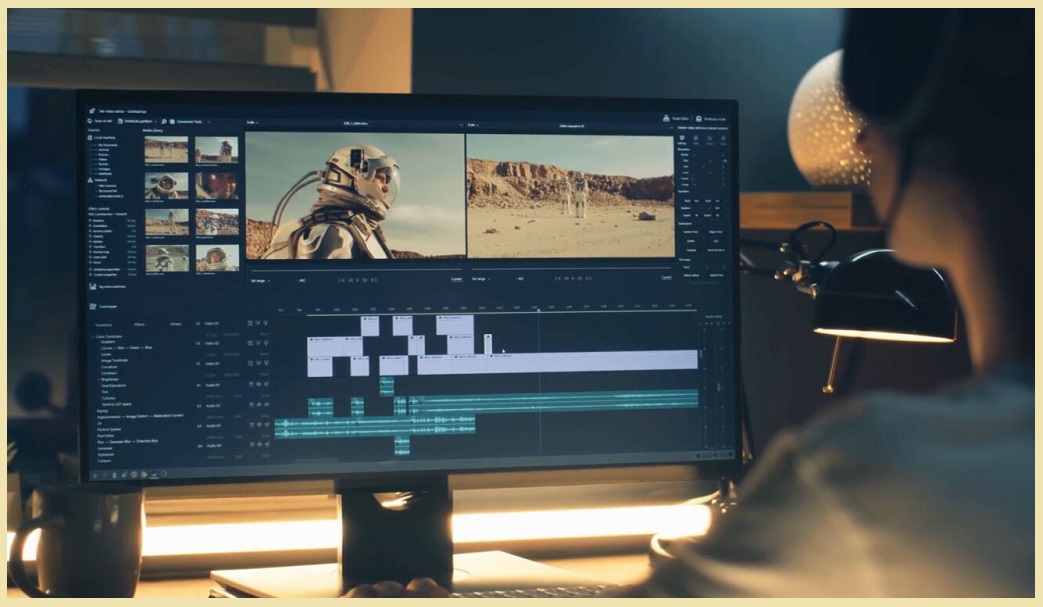
Video Editing Software

Key Takeaways

I’ve tested most of the major video editing programs on the market, and I want to introduce you to the ones I consider the most creative, intelligent, and user-friendly. The tools have assisted me in accelerating my work processes while maintaining my videos’ professional and attractive appearance.

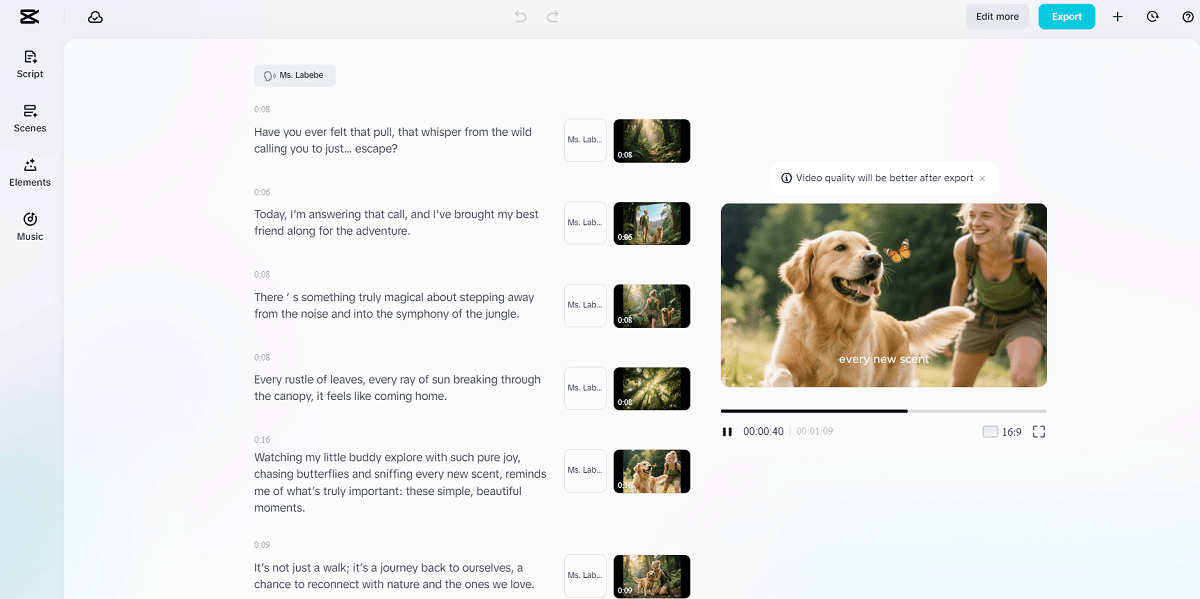
  1. CapCut is the best option I will go with in terms of AI-powered video editing. It has an integrated AI video generator, powerful text-to-speech systems, and an AI video upscaler, which allows me to create high-quality content in my studio in a few minutes, all in a user-friendly interface.
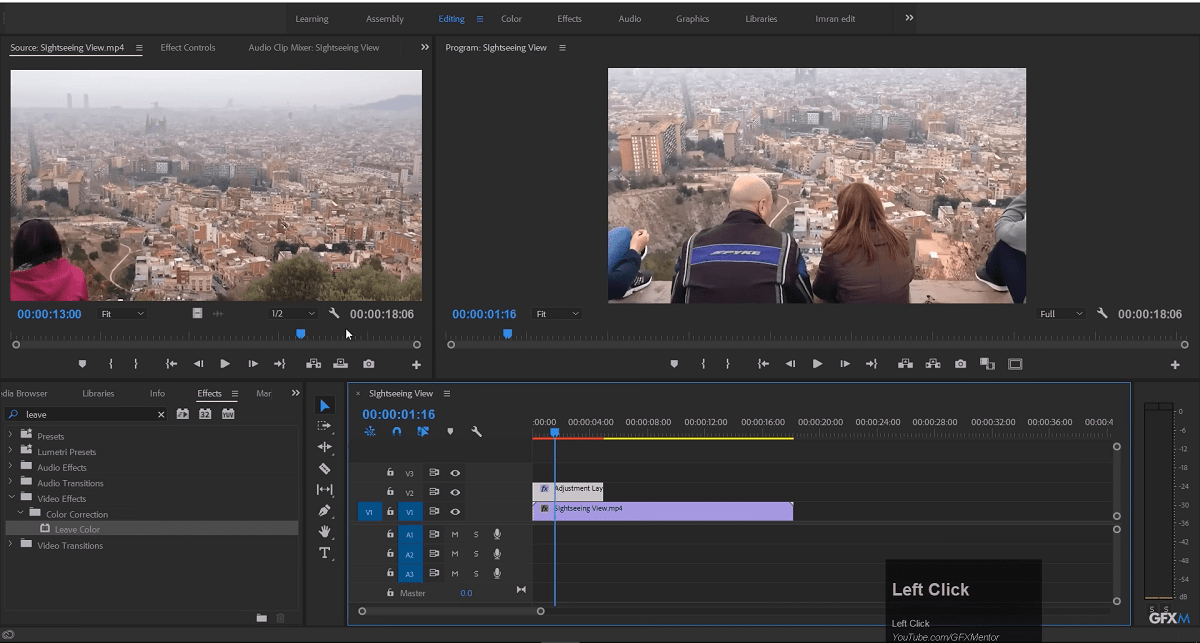
  2. Adobe Premiere Pro is the one that continues to be a force among professionals. Its AI capabilities, such as Auto Reframe, Scene Edit Detection, make editing easier and quicker, which nevertheless can be rather confusing to novices.
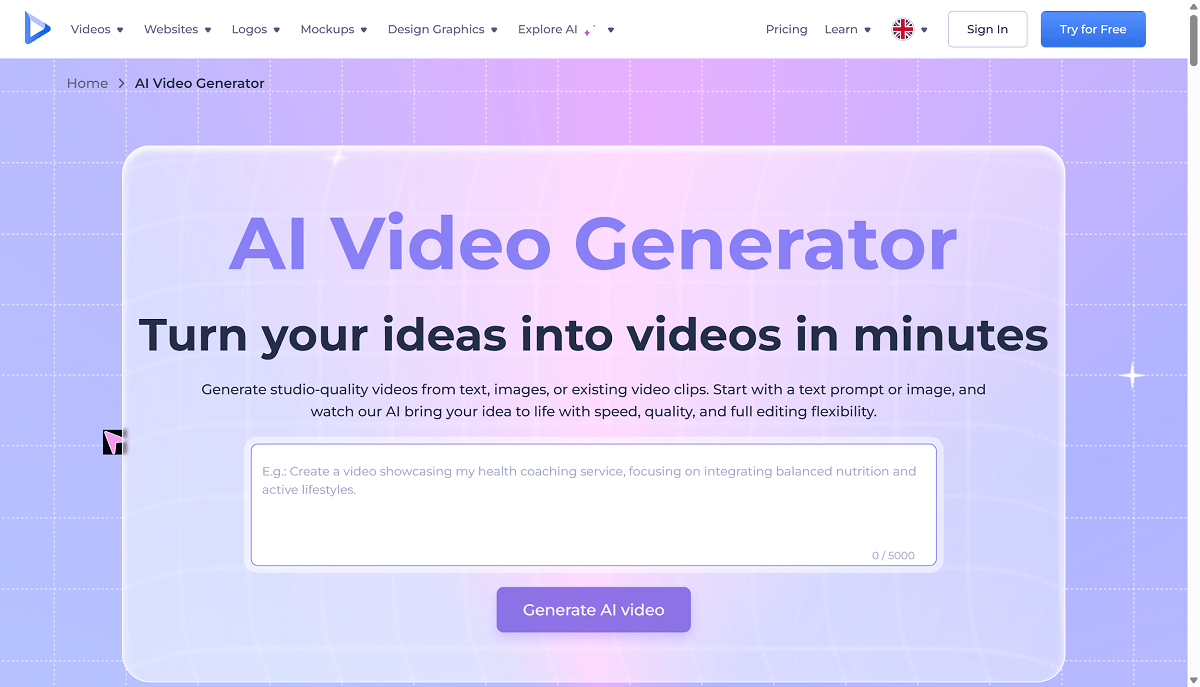
  3. Renderforest is user-friendly and has artistic effects and artificial intelligence to create beats automatically, detect scenes, and build captions without delay, thus saving me a lot of time in the post-editing process.
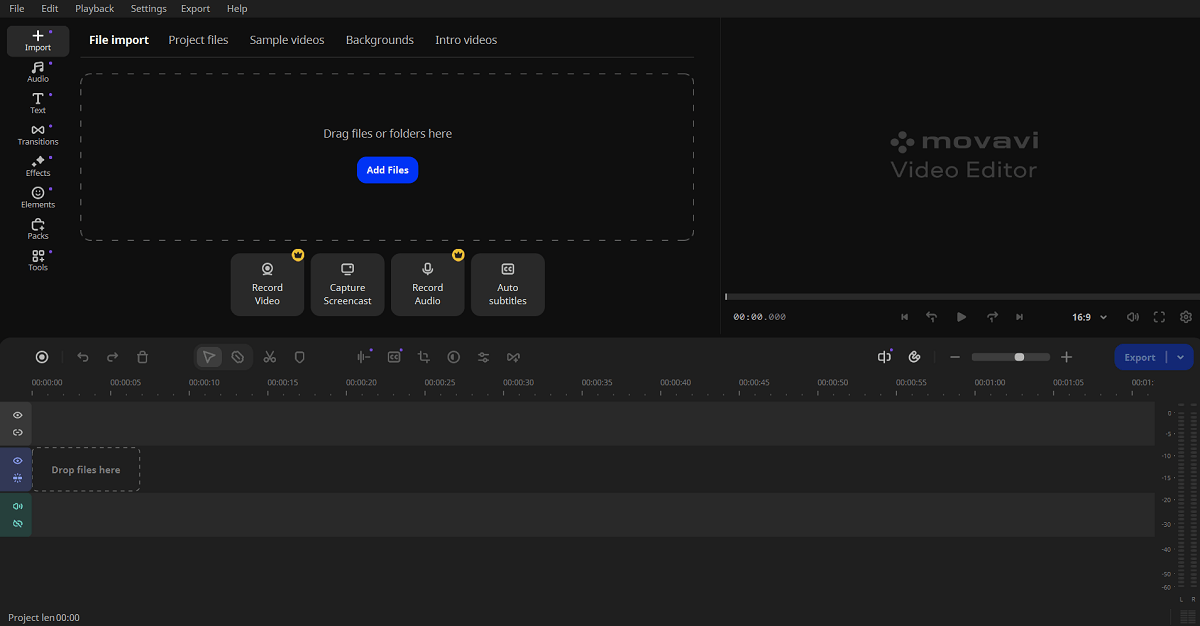
  4. Movavi Video Editor is ideal for quick edits and social media content. I can produce clean output with its AI background removal and noise-suppressing features, even without superior abilities.
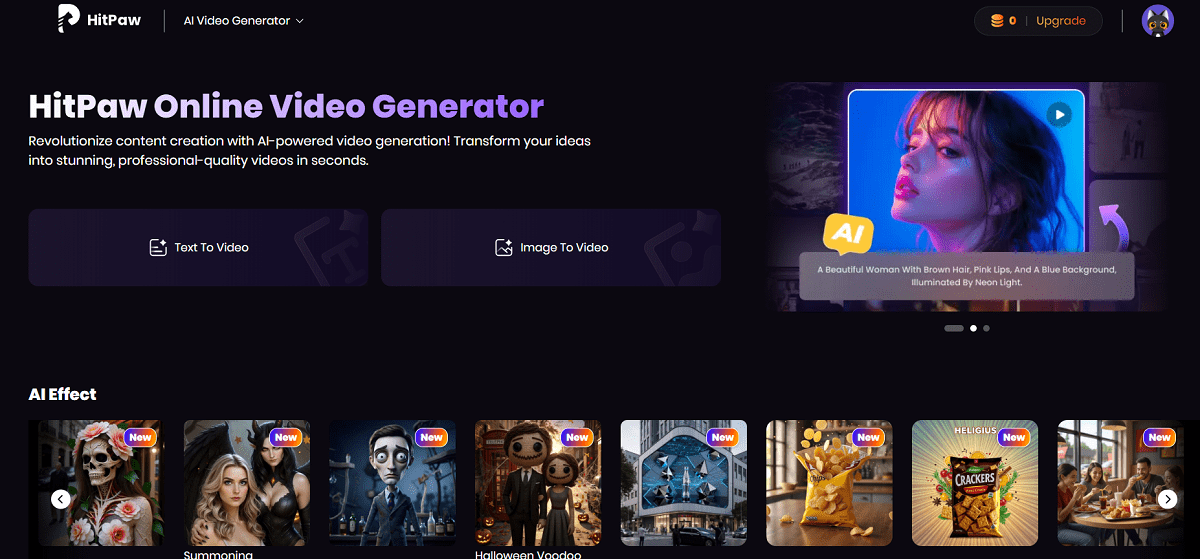
  5. HitPaw Video Editor impressed me with its simple interface and the built-in AI creator that can generate video ideas or scripts immediately, in perfect formats for creating fast marketing videos.
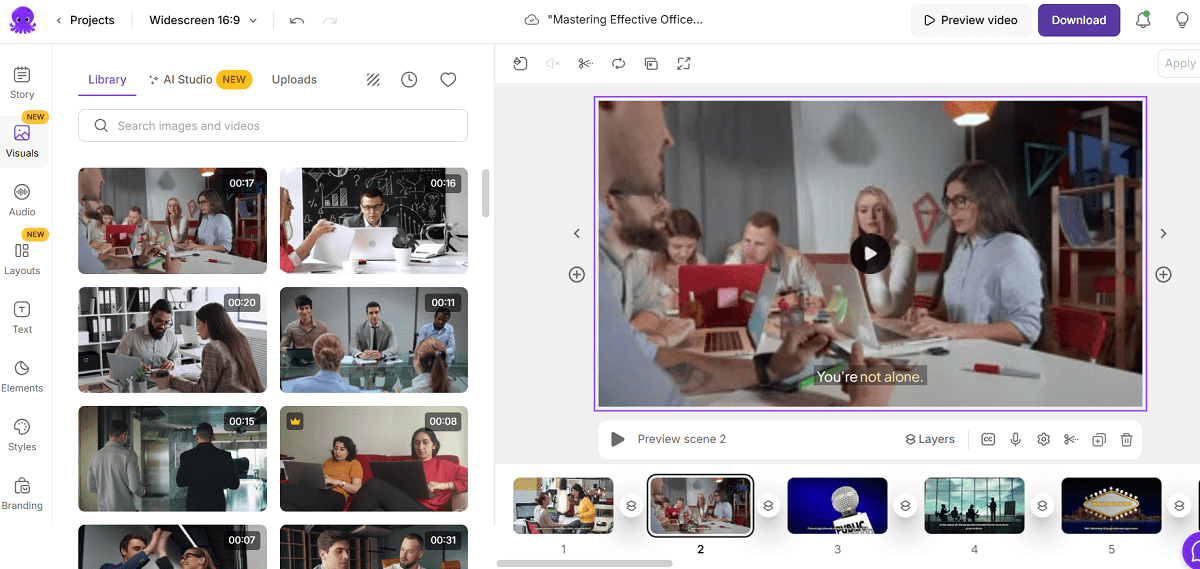
  6. Pictory AI is unique in the creation of videos automatically following scripts or blog posts. I frequently apply it to convert written information into brief, engaging videos to share on social networks.

Testing the 6 Best Video Editing Software with AI Video Generators

In this article, I personally experimented with each of the suggested video editing software with an AI Video Generator on a Windows laptop and a MacBook Air (M1). I have been regularly switching between them over time, based on what kind of video I was producing, among them being a marketing clip, a vlog, or a short social media reel. My analysis is thus grounded in my practical and long-term experience rather than brief experimentation.

When choosing the most appropriate type of video editors that contain AI generators, I took into account the following features:

  • User-friendly interface: The minimalist interface is clear and easy to navigate, and allows me to edit my work fast without having to learn the interface.
  • AI performance: tools that are indeed creative in the use of their functionality, such as auto video creation, text-to-speech AI, and smart scene detection.
  • Affordability: Choices that can provide good AI performance without costing as much as professional ones.
  • Growth flexibility: Software that will be useful as I gain advanced skills in editing and begin to produce more complicated projects.

With these factors in mind, I focused on editors who make AI an asset to your workflow, not a burden. None of these options is overly complex or intimidating for beginners

All six tools that I suggest below provide a balance between automation and creativity that is desirable. These AI-powered editors will grow with you as your skills advance, helping you create amazing videos faster and more easily.

CapCut – Best Video Editing Software with Video AI Generator

capcut

CapCut is my preferred editor in terms of AI-powered video editing. It is created by the same company as TikTok, which is ByteDance, and it includes professional-quality features and AI-based elements to provide a quick editing process as the most intuitive and entertaining experience. It does not matter whether I am making social media videos, brand content, or tutorials; CapCut allows me to produce high-quality work, which looks like it was produced in the studio within minutes.

Pros

  • The AI feature automatically creates video drafts using text prompts or ideas, which would take hours before manual editing.
  • AI automatically translates written scripts into natural voiceovers- ideal to use in explainer videos and tutorials.
  • Increases resolution and visual quality with the help of profound learning, and makes older or unprofessional video clips look professional.
  • Made with creators of any level, CapCut is incredibly simple to edit due to its drag-and-drop interface and automatic adjustments.

Cons

  • It may feel too basic for professionals who need advanced color-grading controls.
  • There are specific AI-powered features that require a good internet connection.

Key Features

CapCut can be distinguished by the extent of its ability to integrate AI creativity and manual manipulation. The following are the features that I consider most useful:

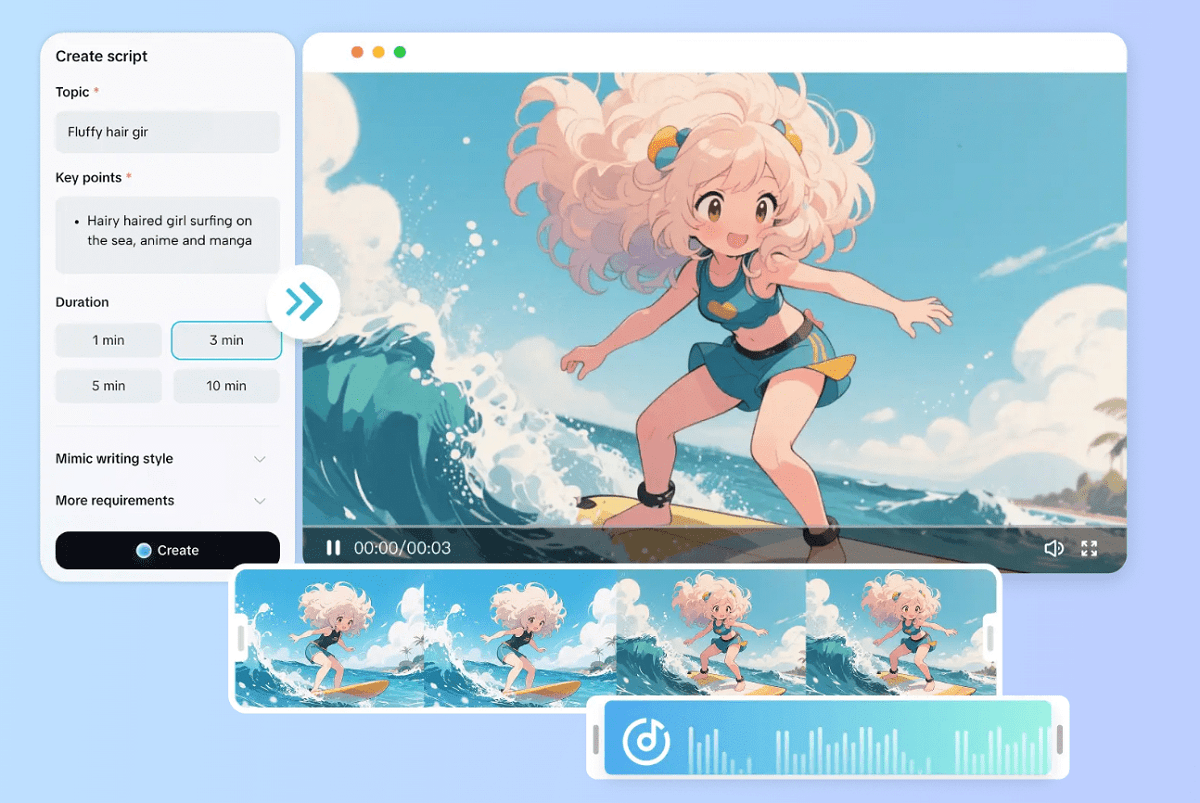
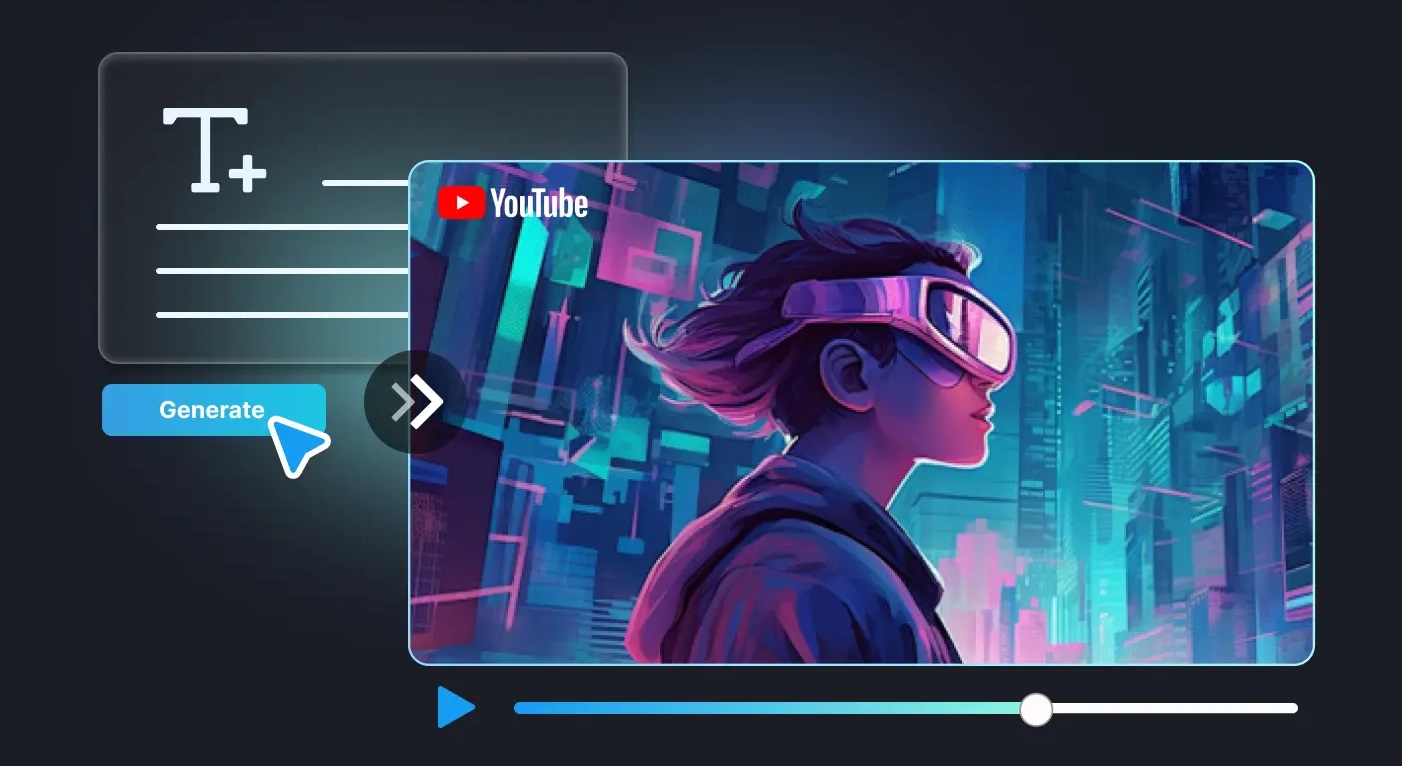
  • AI Video Generator: This feature allows full videos to be created simply by typing a script or idea. CapCut analyzes the text and selects suitable images, music, and transitions to produce a complete video that can then be fine-tuned. It is ideal for marketers, YouTubers, educators, and content creators who need to produce professional-looking videos quickly while maintaining creative control.
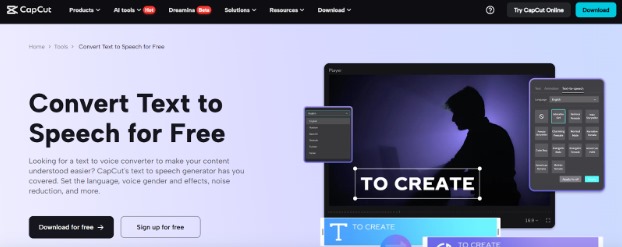
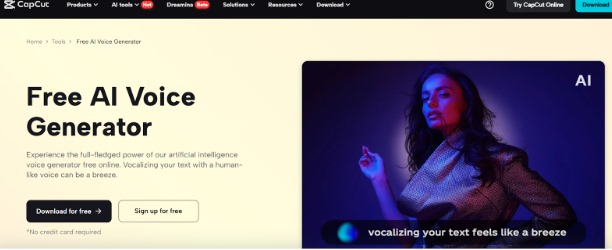
  • Text-to-Speech AI: CapCut provides professional voice narration with 1000+ AI voices and 16+ languages. The voice type, speed, and pitch can be adjusted to match the project’s mood or style. In addition, the built-in voice changer allows for creative effects, making it perfect for presentations, tutorials, vlogs, and promotional videos that require polished and versatile audio.
  • AI voice changer: CapCut’s voice changer allows users to modify recorded or generated voices in real time. It offers a variety of styles, tones, and effects—ranging from professional narration to playful or dramatic alterations—enabling creators to match the audio perfectly to the project’s mood. This feature works seamlessly with Text-to-Speech AI, enhancing videos, podcasts, tutorials, and promotional content with versatile, high-quality voice options.
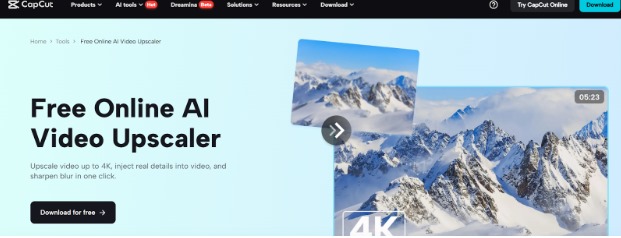
  • AI Video Upscaler: This tool automatically increases video resolution, such as from 720p to 1080p or 4K, while retaining fine details. Advanced algorithms sharpen textures, reduce noise, and brighten older footage, making it ideal for repurposing archived clips, enhancing social media content, or preparing high-quality videos for professional platforms.
  • Smart Background Remover: Removes the background of any video or image with a single click, allowing users to create clean, professional product demos, tutorials, or marketing videos without using a green screen. It supports both static and moving subjects, saving time and simplifying complex editing workflows.
  • Auto Captions: CapCut automatically generates accurate captions using AI-based speech recognition, greatly reducing manual editing time. This feature enhances accessibility, improves viewer engagement, and ensures content can reach a wider audience across platforms, from social media to corporate presentations.

Overall, CapCut is a faster, more user-friendly, and more creative editing tool. Its smart AI technology minimizes routine work to allow me to work on storytelling and design.

Available on: Windows, macOS, Web, iOS, Android
Overall: 4.8/5
Beginner-Friendly Tools: 5/5
Price: Free, with premium features available through CapCut Pro

User Experience

CapCut video editing software with an AI Video Generator has caused an extreme shift in the way I make my videos. I do not need to spend hours organizing clips, transitions, and music to create a video, and I need only to insert a few lines with my idea in the enter box, and the AI will create a video draft, which is surprisingly precise and imaginative. It is like I have a helper who is aware of my vision. The software selects the appropriate visuals automatically and speeds up or slows down the tempo to suit the tone and even adds background music perfectly. The flexibility is the best thing for me, though, as it provides me with a powerful point of departure and, at the same time, enables me to make corrections to all the factors afterward.

Adobe Premiere Pro – Best for Professional AI Editing

Premiere Pro

Adobe Premiere Pro would suit any professional who requires the use of powerful AI-assisted software. Its intelligent functionalities, such as automatic scene recognition, artificial noise removal, and content-aware edits, make the demanding tasks simpler and faster with no errors or mistakes.

Pros

  • An editing suite that matches industry standards with effective AI automation.
  • Seamless integration with Adobe Creative Cloud.
  • New AI applications, such as Auto Reframe and Scene Edit Detection.
  • High-quality color grading and motion tracking.

Cons

  • Requires a powerful system for optimal performance.
  • Casual users may find the subscription cost high.

Key Features:

  • Auto Reframe: AI-assisted aspect ratio tool that reconfigures the aspect ratio to fit YouTube, TikTok, and Instagram.
  • Scene Edit Detection: This identifies jump points in already edited video, and saves time in re-editing or rearranging clips.
  • AI Audio Enhancement: Automatically balances and cleans audio for consistent, professional sound.
  • Content-Aware Fill for Video: The Content-Aware Fill removes all types of background objects or objects within the video.
  • Speech-to-Text and Auto Captions: Generates voiceovers or captions and automatically creates accurate subtitles.

Available on: Windows, macOS
Overall: 4.8/5
Beginner-Friendly Tools: 3.5/5
Price: $22.99/month (Creative Cloud subscription)

Personal Experience

Adobe Premiere Pro has provided me with a professional experience. The Auto Reframe tool, which is an AI-based application, provides me with hours to save when I have to use the same video in various places on social networks – it perfectly frames and leaves the main subject in focus. Another feature that impresses me the most is the Speech-to-Text, in which I am able to create captions at the touch of a single button, and the quality is remarkably good. My workflow has become smooth since initially it had to take me some time to get used to the layout and the shortcuts, but now I can navigate all of this seamlessly.

Renderforest – Best for Effortless AI Editing

Renderforest

Renderforest is an online, “plug-and-play” platform for creating videos, animations, and branded visuals. Its main appeal is low barrier to entry, rich template library, and easy operation, making it ideal for users who want to produce content quickly without professional video editing skills. Key points from user reviews:

Pros

  • Drag-and-drop templates cover various scenarios like social media shorts, ads, and explainer videos.
  • Simply replace text, images, or clips to produce a finished video quickly.
  • Useful for creators needing quick intros, promo clips, or social media content.
  • Some templates allow script-to-video generation, simplifying the creative process.

Cons

  • Limited advanced customization options for professional editors.
  • Occasional long render times or editor freezes.

Key Features:

  • AI Video Generator: Transforms ideas or scripts into little videos full of automatic images and music background in a short time.
  • User-friendly Interface: Perfect for beginners to quickly create social media or marketing videos.
  • Extensive Template Library: Covers promotional videos, logo animations, short films, slideshows, and more.
  • Professional-looking Output with Minimal Effort: Users can generate polished videos without complex post-production.

Available on: Web
Overall: 4.6/5
Beginner-Friendly Tools: 4.8/5
Price: Free plan available; paid plans start at $9.99/month for more advanced features

Personal Experience

Renderforest video editing software with an AI Video Generator has been very easy to use and, to say the least, pleasant. I like that it can help me to create a professional-looking video without being confused in a complex environment. My favorite one is an AI Video Generator, which generates interesting short videos based on text prompts, thus I do not need to start a project from scratch. It is also worth giving the AI Auto Beat Sync credit; it perfectly synchronizes transitions with music, which gives my edits an appearance of dynamism and quality. I can work on tight deadlines using the easily laid out, user-friendly design of Renderforest and fast rendering to finish the projects with ease.

Movavi – Best for Quick and Creative AI Editing

Movavi

Movavi is easy to use with quick and imaginative features. It can make the video editing process easy with its AI-driven improvement and ability to remove the background and follow the movement in your projects, making them look central, besides being visually impressive.

Pros

  • Easy-to-use interface with low learning curve.
  • Quick video output and export rate.
  • AI-powered video and audio enhancement tools.
    • Low-cost and lifetime license packages.

Cons

  • Limited range of advanced effects compared to professional software.
  • Sometimes experiences latency when handling large 4K projects.

Key Features:

  • AI Video Enhancement: AI algorithms that enhance brightness, contrast, and stability in videos.
  • AI Background Remover: Deletes the background of a video without the use of a green screen.
  • AI Noise Reduction: removes the noise from the background in sound to create a smoother sound experience.
  • AI Motion Tracking: Predicts moving objects and text overlays on the video correctly.
  • AI Upscaling: AI Upscaling enhances video resolution for sharper playback on higher-resolution screens.

Available on: Windows, macOS
Overall: 4.6/5
Beginner-Friendly Tools: 4.7/5
Price: $59.95 (one-time purchase)

Personal Experience

Movavi video editing software with an AI Video Generator helps me edit quickly and makes the process enjoyable. I particularly like the way it runs well even on mid-range laptops. The AI Video Enhancement feature instantly improves my videos’ visual quality—colors look brighter, lighting is balanced, and shaky footage becomes smoother. The AI Background Remover is also surprisingly effective at promo cuts that I need to make a quick and dirty edit of, which creates clean results without requiring complex masking.

HitPaw Video Editor – Best for Fast AI Video Creation

HitPaw Video Editor

HitPaw Video Editor is ideal for creators who want to make their videos fast with the assistance of AI. The features of its AI auto caption, background music generation, and smart cut tools facilitate the editing process, allowing you to create professional videos in no time.

Pros

  • Easy drag and drop interface that is user-friendly.
  • Includes AI-driven editing tools that automate repetitive tasks.
  • Live view to have live visual feedback.
  • Supports a wide range of social media aspect ratios
  • Constant updates and new effects, and AI templates.

Cons

  • Lacks an advanced color grading system.
  • Certain AI tools need to be connected to the internet in order to process them.

Key Features:

  • AI Video Generator: Immediately converts text prompts to short videos with visuals, captions, and background music.
  • AI Voice Changer: This turns voices that have been recorded into various tones or characters, allowing creative storytelling, and is one of the best AI voice changer
  • AI Background Remover: Removes or replaces video backgrounds without a green screen
  • AI Subtitle Generator: Automatically syncs captions with dialogue.
  • AI Noise Cancellation: Removes all the background noise to achieve pro voiceovers.

Available on: Windows, macOS
Overall: 4.5/5
Beginner-Friendly Tools: 4.8/5
Price: 39.99/monthly plan / 89.99/ lifetime license.

User Experience

The video editing software with an AI Video Generator is the quickest and most user-friendly one, lightweight, and ideal in any case when a user requires an edited piece of content. One of the most amazing tools that I have tried is the AI Video Generator; this tool will make a themed set of clips out of a few text lines, which saves hours of editing after hours spent doing the same with handwriting. Another tool that I greatly enjoy is the AI Subtitle Generator, which generically syncs captions and dialogue. This makes my videos more accessible and social media-ready. The interface is clean, responsive, and welcoming to first-time users.

Pictory AI – Best for Turning Scripts into Videos

Pictory AI

Pictory AI would be the ideal solution to turn written material into captivating videos without any initial effort. It is an excellent option and the best tool to repurpose text into dynamic visual stories thanks to its AI-powered script-to-video and auto-captioning features.

Pros

  • Auto video creation of text or blog posts.
  • Cloud-based editor- there is no necessity for strong hardware.
  • Large library of stock footage and background music.
  • Automatic subtitle generation to be accessible.
  • Branding and social media can be easily customized.

Cons

  • Limited manual editing control.
  • Most AI processes need an Internet connection.

Key Features:

  • AI Script-to-Video: Converts text and blogs, and articles into brief videos with associated visuals and narration.
  • AI voice generator: Creates natural-sounding voiceovers in different accents and tones.
  • AI Auto-Captioning: Detects speech and adds synchronized captions automatically.
  • AI Video Summarizer: Shortens long videos and creates succinct, valuable, and shareable video highlights that are ideal for marketing.
  • Brand Kit: It enables users to add their own logos, fonts, and colors to enable regular branding.

Available on: Web-based (Windows and macOS using the browser)
Overall: 4.7/5
Beginner-Friendly Tools: 4.8/5
Price: Starting at $19/month

Personal Experience

Transforming content into videos is now purely different with the application of Pictory AI. Rather than spending hours sifting through the edits, all I need to do is push the button to paste, and the artificial intelligence creates me a full video with the appropriate visuals and voiceover in seconds. The Script-to-Video option is a particularly strong AI feature that can be used to repurpose any written forms of content into short marketing videos or YouTube clips.

How to Choose the Best Software For You?

The choice of the appropriate video editing software with an AI Video Generator is determined by your intentions, professionalism, and editing tastes. If you are a beginner and need to have a simple, one-size-fits-all editor, you can start with such tools as CapCut or Movavi, as they have easy interfaces and powerful automation, allowing you to obtain fast and quality results.

For users wishing to have the level of control over professional features and extra effects, Adobe Premiere Pro or HitPaw Video Editor has more powerful AI-based features to adjust every detail of your video. Conversely, in case you are more interested in reusing the material or making text about a short video, Pictory AI can be considered the most effective choice.

Conclusion

The best tool depends on your personal needs and creative goals. However, if you’re looking for software that stands out for its power, ease of use, and innovation, I highly recommend CapCut. Its AI video generator, AI video upscaler, and its text-to-speech AI tools allow making high-quality videos in extremely easy ways, without having to spend hours learning complex software.

You can edit marketing material, YouTube videos, and personal works, and be able to produce beautiful work within minutes using CapCut. It is the best combination of automation and artistic freedom, and thus, my first choice of recommendation to anyone entering or improving their video editing process.

FAQs

  1. What is the best video editing software with an AI video generator?

CapCut is the best choice if you’re looking for a reliable and creative video editor. It’s built-in AI video generator will automatically generate high-quality videos based on text, clips, or templates and save you many hours of editing. You can likewise personalize all the details to suit your style, making it user-friendly for both beginners and professionals

  1. Can I use AI tools to enhance video quality without learning complex editing?

Absolutely! This is easily done with the CapCut AI video upscaler and auto-enhancement. These features automatically enhance video sharpness, lighting, and resolution, even without prior editing knowledge. It’s ideal for users who want to achieve studio-quality results at the click of a button.

  1. Which video editor is best for creating videos with voiceovers?

CapCut is the best choice for creating voiceovers seamlessly. It has a text-to-speech AI option to produce natural-sounding audio in several tones and languages — perfect for use in tutorials, promotional videos, or storytelling. You are able to talk over your content in synchronization with your video, which results in a more engaging and professional video.
 

Why Every Marketer Needs an AI-Powered Ad Maker in 2025

In 2025, marketing is moving faster than ever. New platforms launch almost every month, trends change overnight, and people expect brands to keep up instantly. A few years ago, you could spend weeks crafting ads, running focus groups, and fine-tuning campaigns. Today, if your content doesn’t grab attention immediately, it risks getting lost in the endless scroll of social media.

That’s why marketers are turning to smarter tools, especially an AI-powered ad maker. These tools let you crop video for every platform, generate multiple ad versions in minutes, and publish content that looks like it came from a large creative team, even if you’re running everything solo.

Why Every Marketer Needs an AI-Powered Ad Maker in 2025

The real problem: too much content, not enough time

Marketers today don’t lack ideas or platforms; they lack time. Between TikTok, Instagram Reels, YouTube Shorts, LinkedIn, and even newer apps, you’re expected to stay active everywhere. On top of that, audiences don’t want cookie-cutter ads. They expect tailored, engaging content that feels like it was made just for them.

The issue? Traditional ad-making is slow. Shooting, editing, resizing, and polishing an ad can take weeks. By the time it’s ready, the trend that inspired it is already gone. That’s where AI steps in, not just to help you keep up, but to help you stay ahead.

Why AI is more than just a shortcut

Some marketers still see AI as a “nice-to-have” or a temporary hack. But in 2025, it’s a competitive edge. AI tools don’t just make things faster; they add superpowers that manual editing can’t achieve at scale.

For example, AI can:

  • Analyze performance data and suggest improvements.
  • Generate dozens of ad variations in minutes, making A/B testing easy and cost-free.
  • Automatically reframe videos, remove background distractions, or generate captions—tasks that once required specialists.

AI isn’t an optional extra anymore. It’s a core part of the modern marketing toolkit.

How to create professional ads with Pippit AI

To see how AI makes a difference in practice, let’s walk through creating an ad using Pippit AI’s ad maker. The beauty of this tool is that it balances automation with customization, so your ads look polished while still reflecting your brand’s unique style.

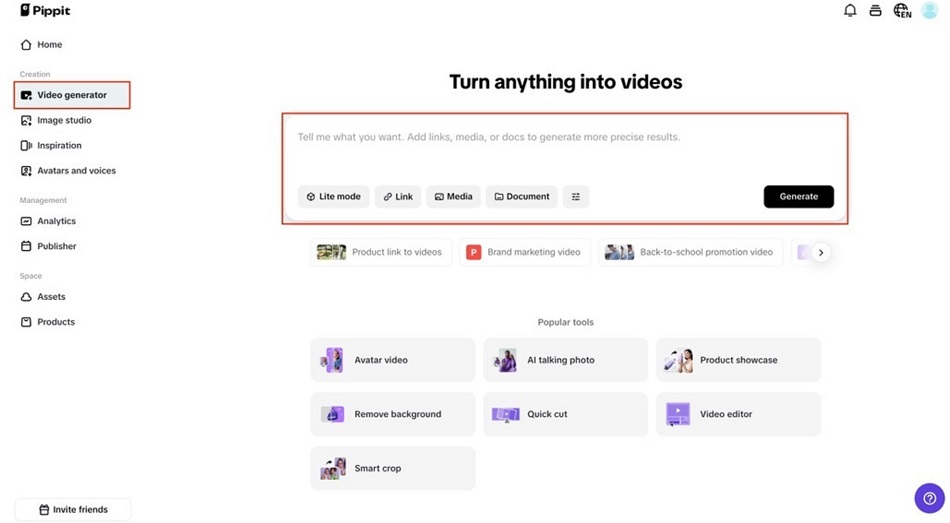
Step 1: Go to the “Video generator” section

Head to Pippit’s homepage and select the Video generator. Paste your product link, and the tool will pull the images and descriptions for you. Prefer more control? Upload your own video clips manually. You can even use advanced features like Avatar, Script, or Voice (Smart Match) to give your ad a personal touch.

How to create professional ads with Pippit AI

Step 2: Enhance your video with AI tools

Once your base video is ready, polish it with Pippit’s AI-powered editor. Tools like Auto Reframe keep your subject centered across all platforms. With Overlay, you can add CTAs, seasonal offers, or branded text. Use Remove Background to instantly swap in a cleaner setting, and Retouch to fix small visual flaws. This is also where the AI lyrics generator comes in handy. It syncs lyrics or captions with your video content, adding rhythm and clarity to your ad.

Enhance your video with AI tools

Step 3: Preview and export your video

Finally, preview your ad to make sure it looks sharp and consistent. Make any quick adjustments, then export it to your desired format and resolution. Pippit even allows direct posting to social platforms, saving you valuable time.

Keeping your brand consistent across platforms

One of the toughest parts of modern marketing is maintaining brand consistency. A TikTok ad needs to be vertical, an Instagram post is better square, and YouTube prefers horizontal. Manually creating separate versions eats up hours.

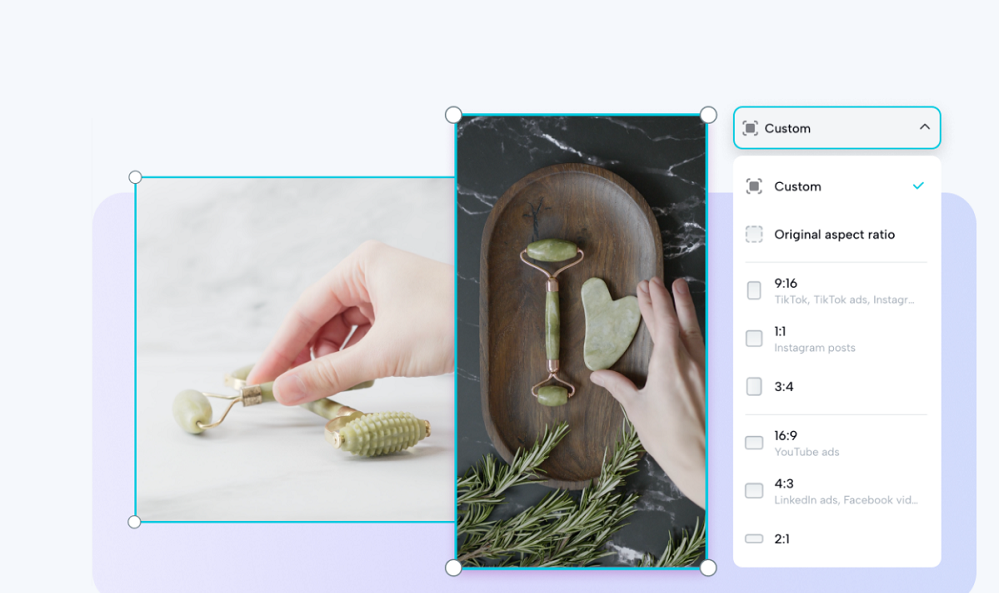
With Pippit’s ad maker, you can instantly resize and crop video for any platform without losing focus on your product. This ensures your ads always look like they come from the same brand, no matter where your audience sees them.

Consistency builds trust. And in today’s crowded marketplace, trust is what drives sales.

Keeping your brand consistent across platforms

The Hidden Cost of Skipping AI in 2025

It’s not just about speed or convenience; it’s about survival. In 2025, audiences can clearly tell the difference between brands that embrace AI-powered creativity and those that don’t. Ads that look outdated, generic, or poorly formatted get skipped within seconds.

Brands that resist AI risk:

  • Publishing too late and missing trends.
  • Overspending on manual edits or outsourced work.
  • Losing engagement to competitors with fresher, sharper ads.

The cost of ignoring AI isn’t just financial, it’s also reputational. Falling behind means being forgotten.

Why AI-powered ads feel more personal

AI isn’t just about efficiency, but it’s also about personalization. Instead of blasting one generic message to everyone, AI lets you create multiple tailored ads for different audience segments in minutes.

For example, you could create one version of your ad with upbeat lyrics synced via the AI lyrics generator for younger audiences, and another with a professional tone for LinkedIn. The ability to quickly adapt messaging makes your ads feel more human and relevant.

When people feel like your brand understands them, they’re more likely to engage, trust, and eventually buy.

What AI really means for marketers

Some worry AI will replace creativity. But the truth is, it doesn’t replace it frees you. AI takes over repetitive, time-consuming work so marketers can focus on what matters most: strategy, storytelling, and creativity.

Think of AI as your co-pilot. It resizes content, generates variations, syncs lyrics, and polishes details. But you still decide the message, the emotion, and the branded voice. Instead of drowning in editing software, you spend your energy crafting campaigns that connect with people.

Final thoughts

If you’re still debating whether you need an AI-powered ad maker, ask yourself: in 2025, can you afford to lose speed, consistency, and personalization? The answer is simple: no.

AI tools aren’t just trends; they’re the new baseline. With Pippit AI’s ad maker, you can publish ads faster, keep your brand consistent across every platform, and deliver personalized campaigns that actually resonate. Add in features like the AI lyrics generator for engaging captions and the ability to crop video seamlessly for any platform, and you’ve got a powerful toolkit designed for today’s fast-moving digital world.

For marketers who want to stay ahead, the time to act isn’t later, it’s now.

From Tasks to Outcomes: Reframing Productivity with Connected Tools

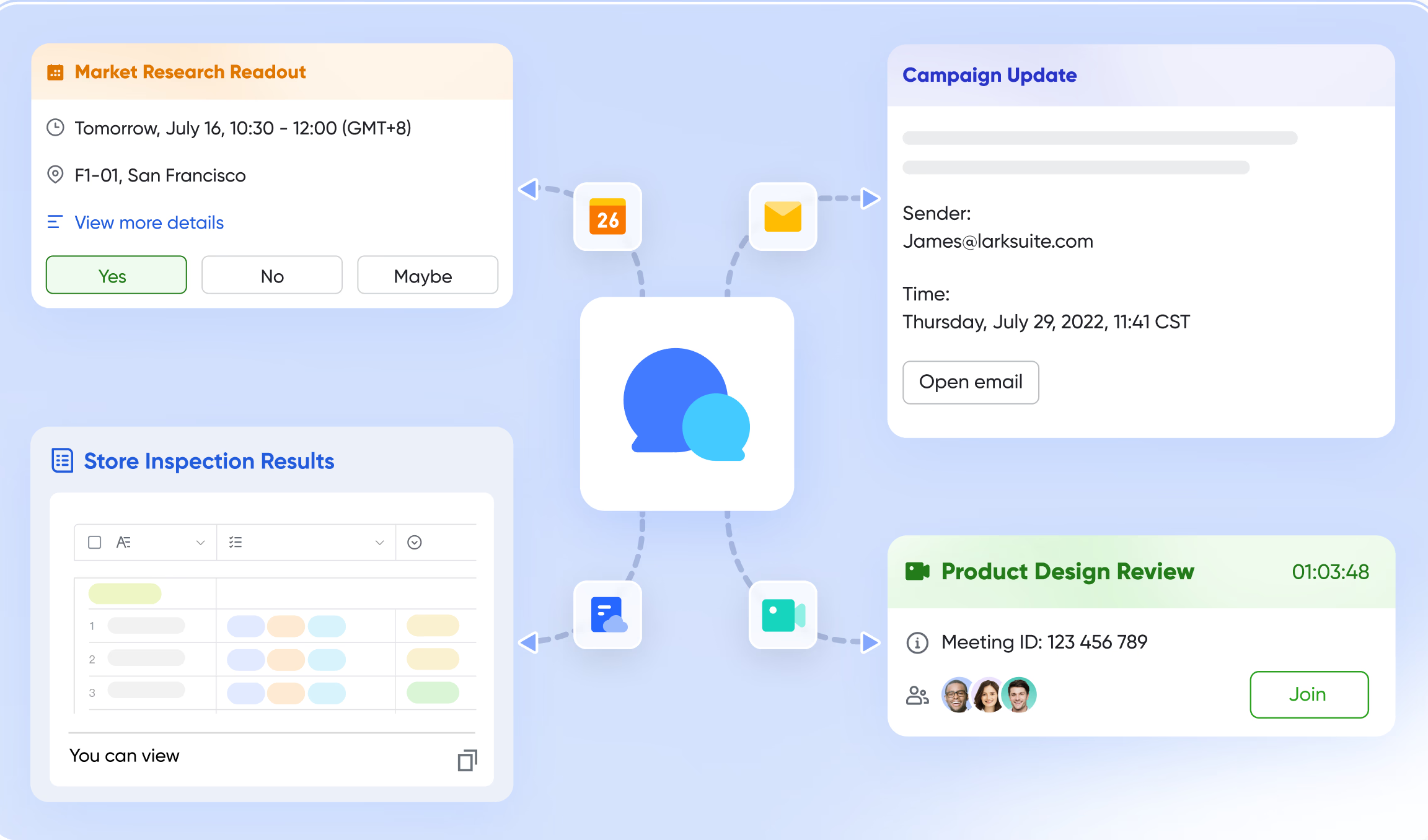
For a long time, companies used the number of tasks finished to measure productivity. Managers could see what was going on via checklists and to-do lists, but they didn’t necessarily show value. A team could finish a lot of little tasks without making any real progress toward corporate goals. Companies are heading toward a new model today: productivity as results. They don’t count actions; instead, they ask, “What did this work accomplish?” To make this change happen, systems need to do more than just track tasks on their own. Businesses can use project management tools to bring together communication, information, processes, and data into a single space that ensures that tasks lead to demonstrable results.

Lark Messenger: outcomes start with clear conversations

Lark Messenger

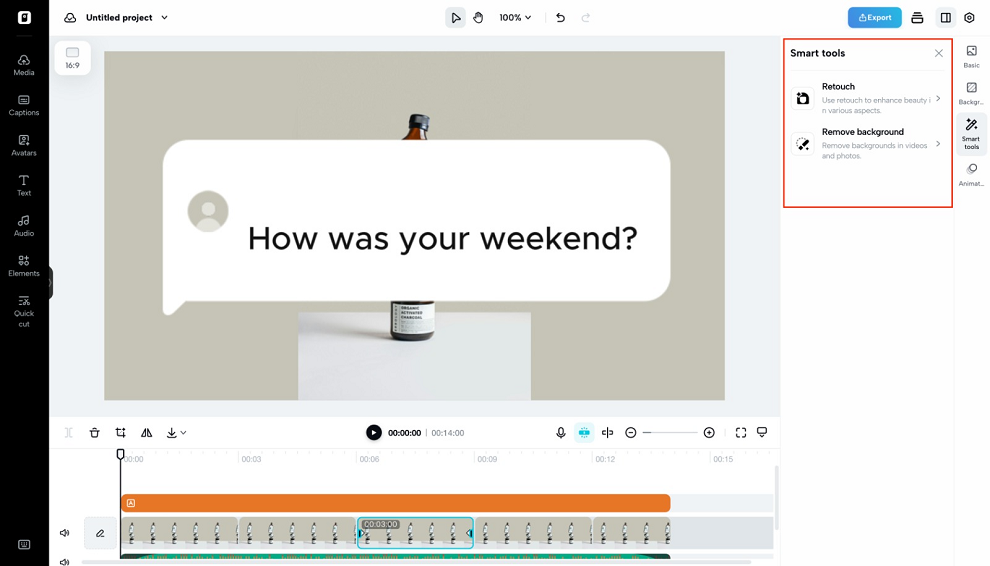
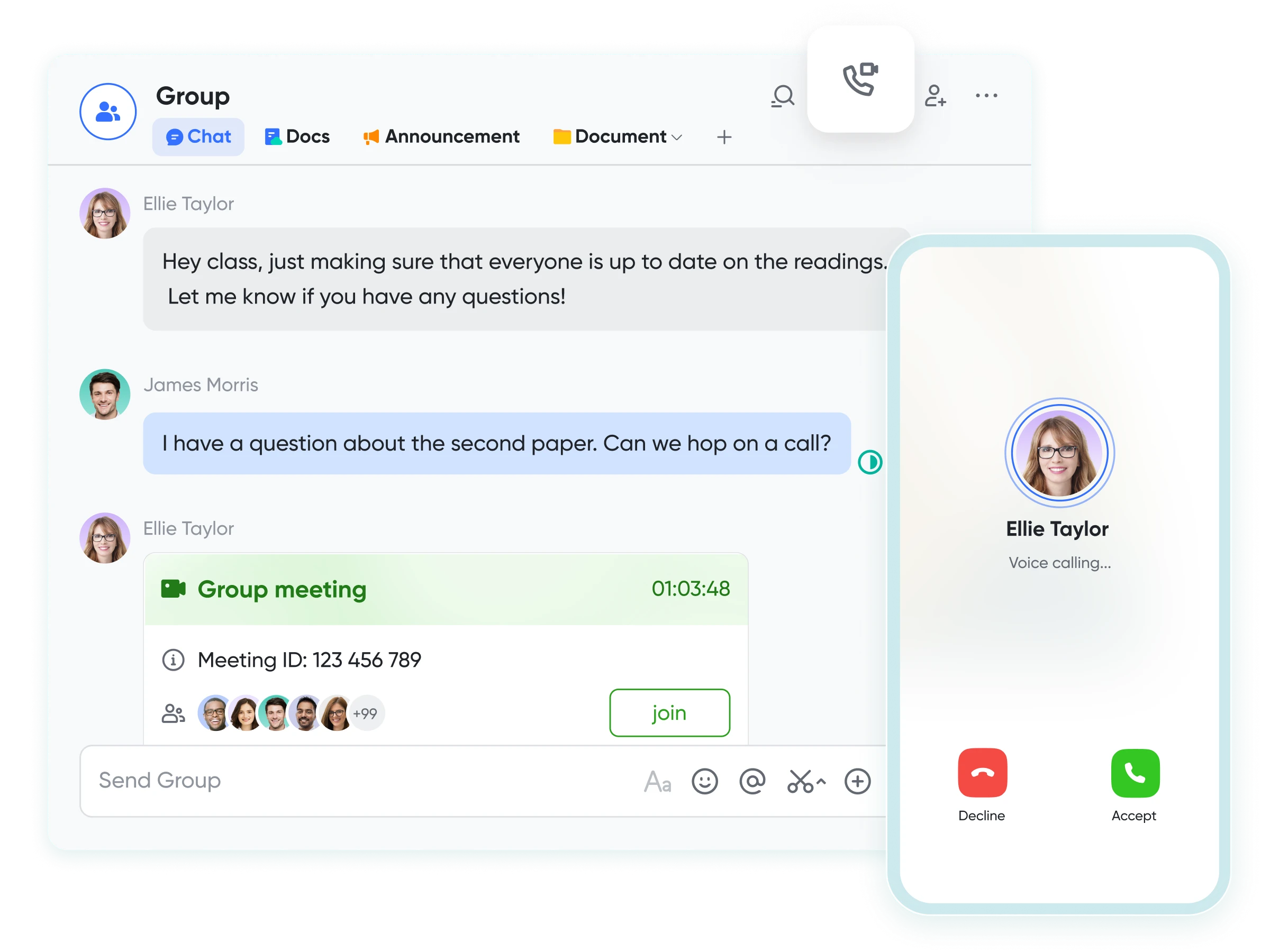
Communication is the first step toward alignment, and alignment is the first step toward any outcome. Lark Messenger makes it easy to stay on the same page by putting all of the conversations about a project in one place. Instead of getting updates from many chat applications and emails, teams make one place where all the information about decisions is stored. Pinned messages keep priorities clear, while threaded answers show the context.

Imagine a team of people working on a product, adding a new feature. Instead of delivering separate updates, they talk about needs, design decisions, and user feedback directly via Messenger. Messenger makes sure that every communication adds to the wider picture by putting them into structured threads. This is a feature that meets client needs. The result isn’t just talk; it’s advancement that goes straight to action.

Lark Calendar: aligning time with priorities

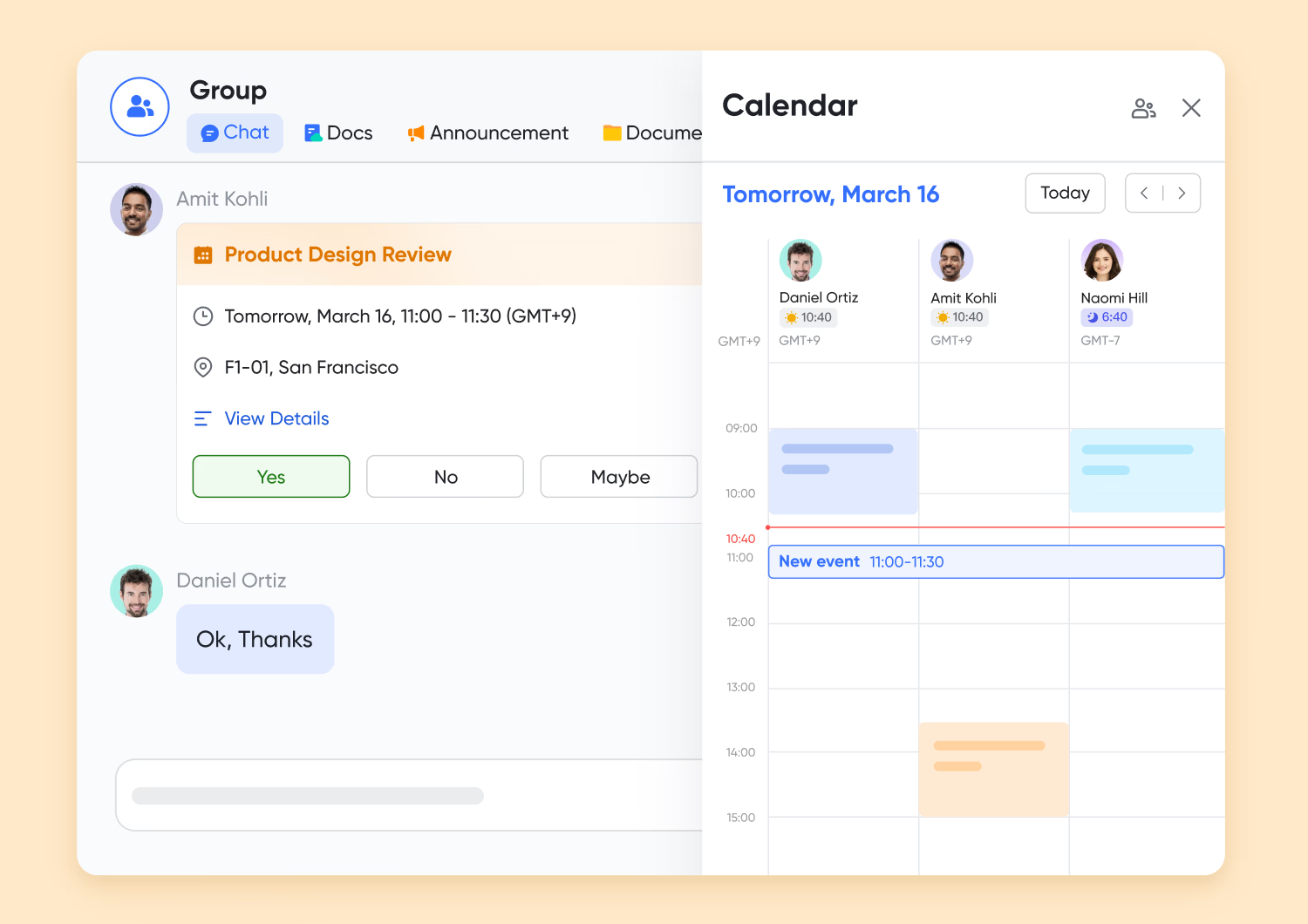
Lark CalendarOne of the most important resources for getting things done is time. If you can’t see deadlines and commitments, projects go behind and results get worse. Lark Calendar changes the way we think about productivity by making sure that time is spent on the things that matter most. Automatic time zone changes make it easier to work together around the world, and the feature to check others’ availability makes it easier to identify meeting times.
For instance, a growing SaaS company makes plans for when to deliver a new product. Calendar shows when engineering deadlines, marketing campaign launches, and sales training sessions are due. Not only do teams see their own schedules, but they also understand how they fit into bigger goals. Calendar makes sure that the organisation stays on the same page and doesn’t waste time by linking time directly to results.

Lark Wiki: knowledge that empowers outcomes

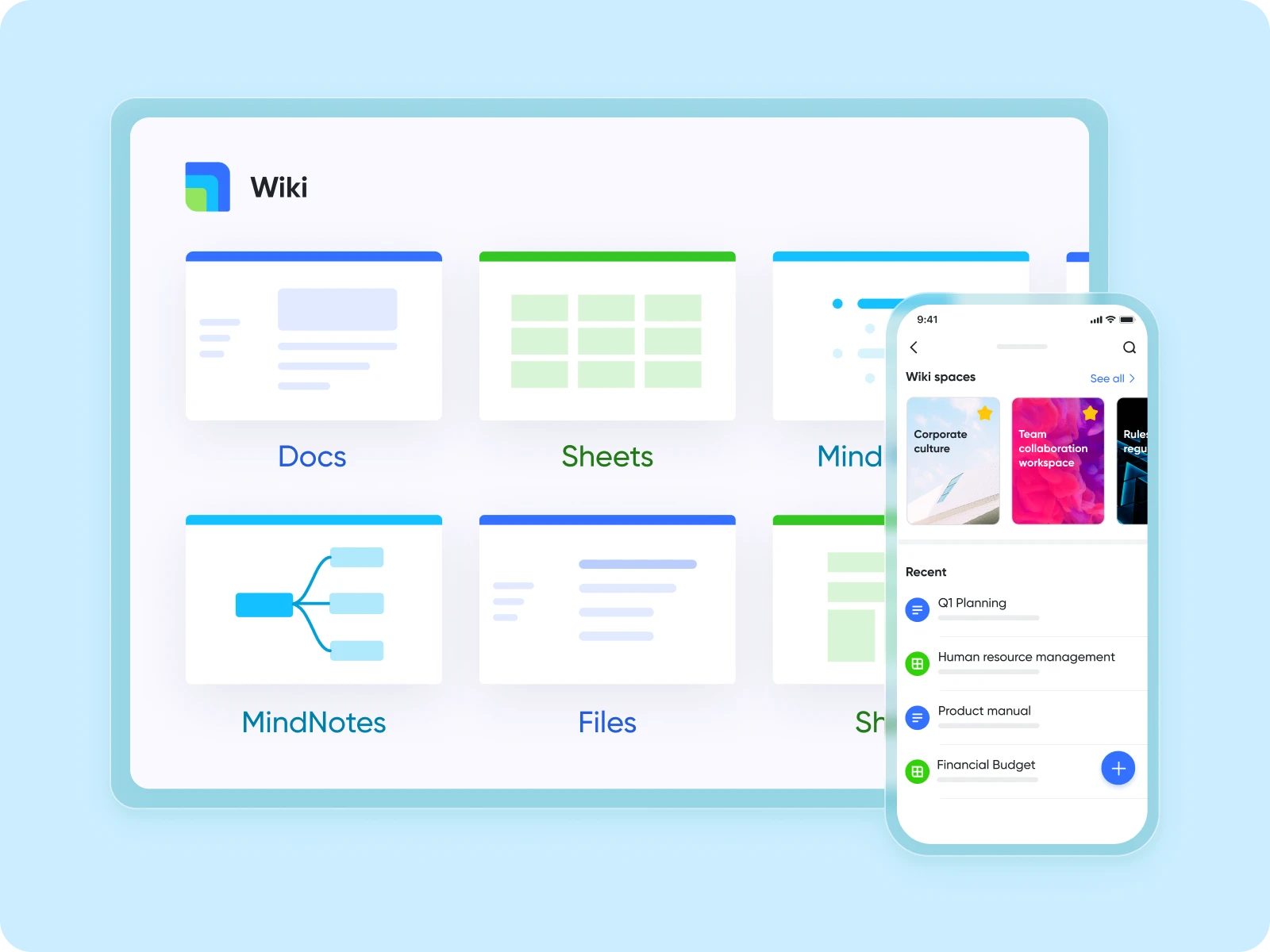
Not knowing anything is one of the major things that stops you from turning chores into results. Employees spend hours looking for answers, redoing work, or depending on files that aren’t complete. Lark Wiki fixes this by putting all of an organisation’s knowledge in one place that can be searched. Anyone can see policies, best practices, and lessons learned that are stored there.

For example, a law practice that is hiring new associates. The company doesn’t send documents by email or rely on shadowing. Instead, it makes a Wiki with case protocols, research templates, and libraries of past cases. Associates can quickly discover the information they need, which gives them more time to focus on getting outcomes for clients. The quality of the results produced faster, not the time spent looking for them, is what counts as productivity.

Lark Approval: processes that accelerate impact

Lark Approval

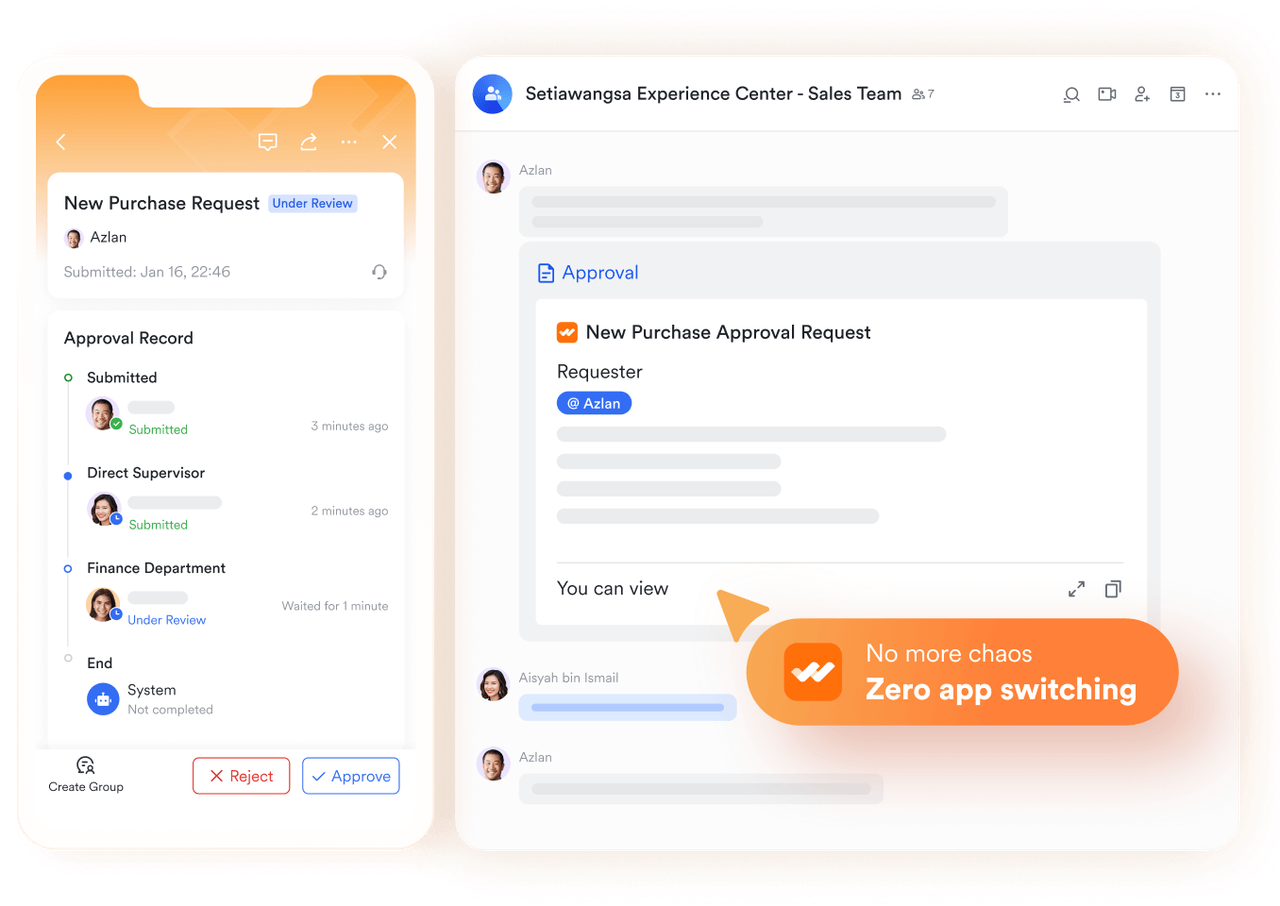
To get from tasks to results, you need procedures that don’t stop. Approvals can cause expensive delays, but Lark Approval makes them easier. Requests are sent electronically, sent to the right people, and tracked in a clear way. Employees may monitor how their request is doing, and managers get reminders to keep things moving.

Automated workflow makes the system even more powerful. Think about a store chain changing the way its stores are set up based on what customers say. When a design is approved, Messenger sends automatic messages, Approval requests people involved for action, and once everything is done, it confirms that it is done. Instead of slowing down execution, approvals speed up the process of turning ideas into results, making sure that changes get to shops promptly and reliably.

Lark Meetings: decisions that translate into delivery

Lark Meetings

People often say that meetings waste time, but the true problem is meetings that don’t lead to results. Lark Meetings changes this by making conversations a part of the larger workflow. Before the meeting, everyone gets a copy of the agenda, so they know what to expect. During the session, notes are taken in Docs, and actions that need to be taken right away are assigned. People who couldn’t make it can listen to recordings and read transcripts, so they don’t have to rely on their memories.

Think about what a logistics company would do if there were problems with the supply chain. During a strategy meeting, teams talk about other options, write down the plan, and give each other tasks to complete next. Everyone knows what they need to do now that they aren’t going with ambiguous thoughts. Outcomes are not left to chance; they are recorded and carried out.

Lark Sheets: outcomes backed by data

Lark Sheets

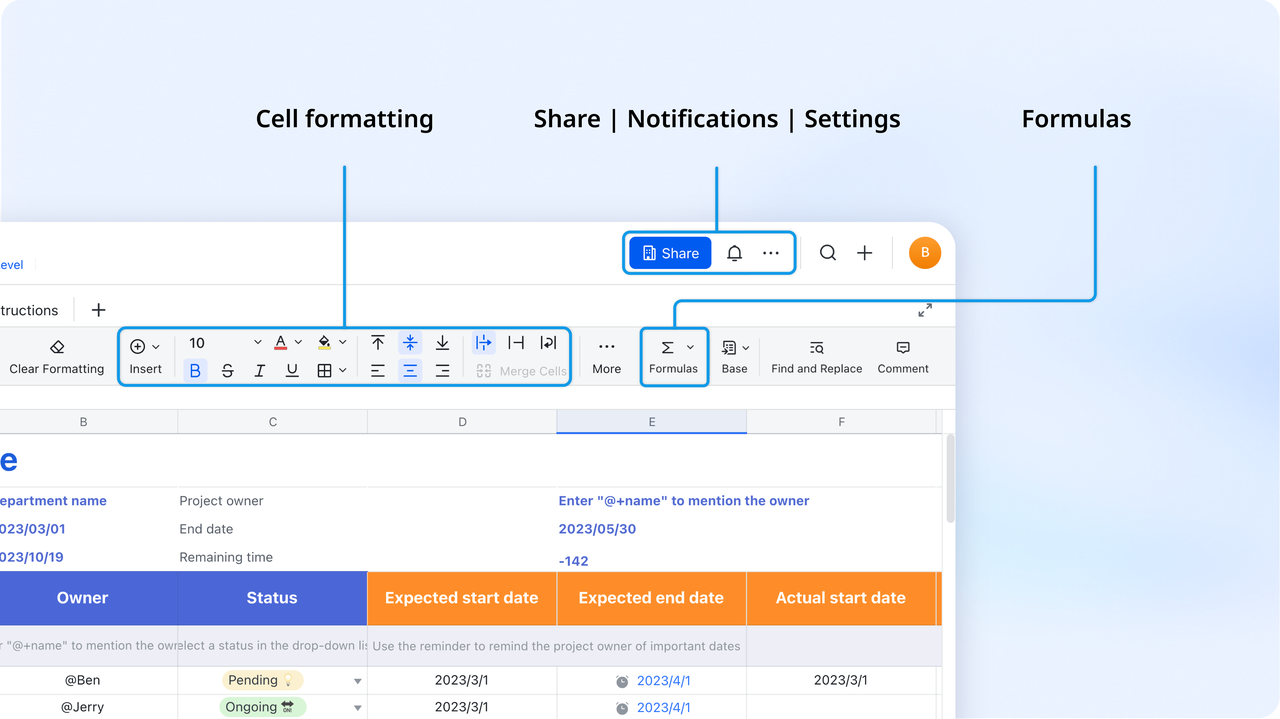
To be truly productive, you need proof of results, which implies data. Lark Sheets gives you real-time access to metrics that tell you if your projects are working. Teams work together on live spreadsheets, adding data at the same time, and use data to show trends. Leaders don’t have to wait for reports at the end of the month to see progress every day and change plans as needed.

Take a healthcare provider who keeps track of how happy patients are when a new process is put in place. Surveys go into Sheets, showing changes in wait times, and managers may see patterns right away. The organization doesn’t keep a record of what actions have been done; instead, it looks at the results, which are better experiences for patients.

Conclusion

To go from tasks to outcomes, you need more than new metrics; you need systems that are linked together to make sure that every effort leads to results. That’s where Lark shines. More than just project management software, Lark provides practical features and solutions in one platform: Messenger keeps conversations on track, Calendar links time to priorities, Wiki gives staff knowledge, Approval keeps procedures moving, Meetings turn talks into delivery, and Sheets uses data to check results.

Companies not only do more when they focus on results instead of productivity, but they also get more done. Companies that use linked platforms don’t just check boxes; they focus on what really matters: giving value. In a market that moves quickly, the victors won’t be the ones who do the most work; they’ll be the ones who always get results from their work.

Tips for Learing Quran Tajweed for Accurate and Beautiful Recitation

Learning Quran Tajweed is a journey that blends discipline, devotion, and practice. It allows Muslims to recite the Quran in a way that reflects both accuracy and beauty. When recited correctly, every letter is pronounced from its proper articulation point, every elongation is given its due measure, and every rule is respected. This guide explores essential tips and techniques to help readers not only master the art of Tajweed but also develop a deeper spiritual connection with the Quran.

Understanding the Importance of Quran Tajweed

Tajweed isn’t only about rules—it’s about reciting the Quran with the reverence it deserves. Proper recitation ensures the words of Allah are preserved in both meaning and sound. By understanding why Tajweed matters, learners can build the right mindset and motivation to embark on this sacred journey.

What is Tajweed in the Quran?

The word “Tajweed” comes from the Arabic root j-w-d, which means “to improve” or “to make better.” In Quranic recitation, Tajweed refers to the set of rules that govern pronunciation, articulation, and rhythm. It ensures that every word of the Quran is recited exactly as it was revealed to Prophet Muhammad ﷺ, preserving the divine message without distortion.

Why Tajweed is Essential for Every Muslim

Tajweed isn’t just for scholars—it’s for every Muslim. Reciting without Tajweed can lead to mispronunciations that alter meanings. For instance, mixing up a single letter can completely change a verse. By learning Tajweed, Muslims safeguard the integrity of the Quran and fulfill their duty of reciting it correctly.

The Spiritual Impact of Correct Recitation

When the Quran is recited with Tajweed, its verses resonate more deeply. The rhythm, flow, and melody touch the heart, making worship more meaningful. It’s not just about accuracy—it’s about enhancing one’s connection with Allah, finding tranquility, and inspiring others through beautiful recitation.

Core Rules of Quran Tajweed Every Learner Must Know

Before mastering Tajweed, students must first familiarize themselves with its foundational rules. These principles act as the building blocks for accurate recitation, ensuring that the Quran is pronounced exactly as intended.

1. Makharij (Points of Articulation)

Each Arabic letter originates from a specific part of the mouth or throat, known as its . For example, the letter “ق” (qaf) comes from the back of the tongue, while “ب” (ba) is pronounced with the lips. Without knowing the makharij, learners may confuse sounds, altering meanings unintentionally.

2. Sifaat (Characteristics of Letters)

Beyond articulation, each letter has unique qualities—such as heaviness (>tafkheem) or lightness (tarqeeq). Recognizing these characteristics ensures correct pronunciation and preserves the beauty of the recitation.

3. Rules of Noon Sakinah and Tanween

One of the most fundamental Tajweed concepts involves the rules for noon sakinah (نْ) and tanween (ــً, ــٍ, ــٌ). These include ikhfa, idgham, iqlab, and idhar. Mastering them helps maintain the natural flow of the Quranic verses.

4. Madd (Elongation Rules)

Madd refers to extending certain vowel sounds for a specific number of counts. For instance, a madd can be extended two, four, or six beats depending on the rule. This elongation adds rhythm and beauty to recitation.

5. Qalqalah (Echoing Sound)

Qalqalah occurs with specific letters (ق, ط, ب, ج, د) when they are in a state of sukoon (rest). It creates a slight “echoing” sound that distinguishes them from other letters, ensuring clarity in recitation.

Practical Tips for Mastering Quran Tajweed

Mastering the Quran Tajweed requires consistent practice and the right techniques. With a proper approach, learners can gradually improve their recitation and build confidence in applying rules.

1. Start with a Qualified Teacher

The best way to learn Tajweed is directly from a knowledgeable teacher. They can correct mistakes instantly and guide learners through tricky pronunciations. Tajweed is best transmitted orally, just as the Prophet ﷺ taught his companions.

2. Practice Slowly and Consistently

Rushing through verses often leads to errors. Instead, learners should take their time, focusing on one rule at a time. A few minutes of daily practice is far more effective than irregular, long sessions.

3. Record and Review Your Recitation

Listening to one’s own recitation helps identify mistakes that might go unnoticed. Comparing recordings to those of expert reciters can highlight areas for improvement.

4. Use Tajweed Apps and Online Tools

In today’s digital age, several apps and websites provide Tajweed lessons, audio examples, and interactive exercises. These resources are especially useful for beginners who want to reinforce what they’ve learned from teachers.

5. Learn with Group Recitations

Reciting with peers not only builds confidence but also allows learners to listen and learn from one another. Group study helps maintain motivation and encourages consistent practice.

Common Mistakes in Tajweed and How to Avoid Them

Many learners struggle with Tajweed due to simple mistakes that often go unnoticed. Recognizing and correcting these errors early prevents them from becoming ingrained habits.

1. Mispronunciation of Arabic Letters

One of the most frequent mistakes is mixing up letters with similar sounds, such as “ذ” (dhal) and “ز” (zay). This can completely change meanings and must be avoided through practice with a teacher.

2. Ignoring Elongation Rules

Skipping or shortening elongations (madd) disrupts the rhythm of the Quran and makes recitation less beautiful. Learners should pay close attention to these rules.

3. Rushing Through Recitation

Reading too fast often leads to skipping Tajweed rules and losing clarity. The Quran should be recited with tarteel—a slow, measured pace.

4. Overemphasis on Melody Instead of Accuracy

While melody adds beauty, some learners focus more on rhythm than rules. Tajweed always takes priority over tune, as accuracy preserves meaning.

Spiritual and Emotional Benefits of Mastering Tajweed

Beyond technical precision, Tajweed enriches the heart and soul. It deepens the spiritual experience of both the reciter and the listener.

1. Building a Stronger Connection with the Quran

Reciting with Tajweed brings the words of Allah to life. It makes recitation more engaging, meaningful, and spiritually uplifting.

2. Inspiring Others with Beautiful Recitation

A correct and melodious recitation not only benefits the reciter but also inspires listeners, drawing them closer to the Quran.

3. Strengthening Focus and Mindfulness in Salah

When recited properly, Quranic verses enhance concentration in prayer. Tajweed helps maintain rhythm and focus, making salah more fulfilling.

FAQs

Is Tajweed obligatory for every Muslim?

Yes, Tajweed is considered obligatory to the extent that it prevents altering the meaning of the Quran. Mastery is recommended for all, but avoiding errors is required.

How long does it take to learn the Quran Tajweed?

The duration depends on consistency and dedication. With regular practice and a good teacher, learners can grasp the basics within months. Full mastery may take years.

Can I learn Tajweed online?

Yes, many platforms now offer qualified teachers and interactive lessons online, making it accessible for anyone around the world.

What’s the difference between Tajweed and Tarteel?

Tajweed refers to the rules of pronunciation, while tarteel is the slow, measured style of recitation recommended by the Quran.

Conclusion

Mastering Quran Tajweed is a lifelong journey that requires patience, persistence, and sincerity. By learning its rules, avoiding common mistakes, and practicing regularly, anyone can recite the Quran with accuracy and beauty. More than technical mastery, Tajweed nurtures a deep spiritual connection, making each recitation a source of tranquility, reflection, and guidance.

AI-Powered Audio and Video Tools Enhance Your Sales Automation Strategy

Today, Sales teams are more agile, tech-savvy, and content-driven than ever. However, even having the best CRMs and email automation tools, there is a seemingly insurmountable blank: how can you make your outreach sound personal and attractive without dedicating your time to creating the content yourself?

And that is where AI video and voice tools will help. These tools are not meant to override or substitute your sales automation program, but to make it overperform by allowing you to create high-conversion, attention-attracting content in large volumes.

In this article, we are going to decipher how custom AI voice and video solutions can work alongside your outreach activities to improve the personalization of your touchpoints and boost traffic without any costly production and professional voice talent.

Why Visual and Audio Content Matters in Sales Outreach

All of us are exposed to sales emails and messages on LinkedIn and advertisements. Why does somebody hesitate? Video, visual, and voice that is human-like. Attach a little video recording or voice message to a text message, and you will immediately gain more trust, promote your own product, and increase your response rates.

But it is a scale problem. How do you go about creating customized intros, walkthroughs, or explanation materials for several leads in a day?

There, AI-based content tools will deliver real ROI: they will save you time and help you to become more personal.

Turn Messages into Speech with a Text-to-Speech AI Tool

If you’ve ever wished you could send a personal-sounding voice message without having to record each one yourself, you’ll appreciate how powerful a tool like text to speech AI can be in outbound sales.

CapCut text-to-speech will provide you with the opportunity to type your message, select a realistic voice, and get professional voiceovers within seconds. It accommodates any number of tones, accents, and languages, and is perfectly suited to target a particular industry or region in your marketing.

Use Cases:

  • Put video proposal or sales page intros in your own style
  • Build exciting cold leads onboarding messages
  • Voiceovers when recording explainers do not require a studio

This tool is entirely PC and mobile compatible, so that you can create and download your audio files anytime, on the spot, wherever you are, in the workplace or off-site.

AI Video Upscaler

Enhance Video Quality with an AI Video Upscaler

In case you are offering product demos, pitch clips, or screen-recorded walks in your sales funnel, the level of video quality is vital. Pixilated footage and pixelated clips do not fill one with confidence.

That’s where the AI video upscaler becomes a game-changer.

It is an AI-powered video quality tool that will increase the resolution of your existing video content to offer high-quality videos without manual editing or reshooting of the video content. With just an ordinary webcam video or a video captured on your mobile, you can enhance it to be professional-level sharp so it can be used as a landing page, email, or social media asset.

Real-life Applications:

  • Clean up your founder pitch video to investor decks
  • Lead mining using customer testimonial enhancement
  • Enhance demo recordings towards a user experience

Like the other tools in the CapCut suite, it is web-based and platform-agnostic (cross-PC and mobile) to provide sales professionals with editing ability whether they are on the road or in the office, and requires no compromise in terms of steep learning curve.

AI Voice Generator

Personalize Video Outreach with an AI Voice Generator

In scaling cold outreach or retargeting campaigns, personalization is the main factor. Keeping track of hundreds of personalized openings or closings every day? Not realistic.

This is where the AI voice generator steps in.

This generator will enable you to have dynamic, realistic voice content which you can customise to the name of your prospect, industry, or use case, unlike basic-sounding robotic tools. It has a number of voice profiles and tones, and this allows you to match the voice style to your brand image, be it a B2B SaaS founder or a sales consultant.

You can apply it to:

  • Put faces on phone outreach videos
  • Automate follow-ups using a human and natural tone
  • Pre-record SMS or WhatsApp sales sequences audio

It is an open-ended tool as it fits into your existing technology stack seamlessly since it is a browser-based tool and works well both on PC and mobile.

AI Audio Visual Tools

Bringing AI Audio-Visual Tools Into Your Sales Workflow

In case you already have in place lead scraping tools, email finding, or CRM automation applications, it turns out to be not that hard to embed AI content tools in that pipeline. This is the way they relate to each other:

  • Search using your email finder and segment your lists
  • Use the capabilities and create personal entertainment: make visualizations or voice messages
  • Send more captivating SDM or LinkedIn DMs with active content
  • Follow up in slick video walkthroughs or voice updates
  • Nurture headlines on marked images, definite communication, and improved transformation materials

The form of content-led automation not only enhances the open or click-through rates but also makes your brand more human along the way.

The ROI of Enhanced Sales Content

Now, let us see what the true advantages of working with the AI-generated voice and video of the sales automation are:

  • Gain hours of means of production time
  • Increase the response rates of being noticed in a jammed inbox
  • Improve your leads emotionally
  • Demonstrate credibility and finesse, where the teams are small or the founders are single personalities
  • Create wherever you like with just your browser; nothing comes between you and the work at hand

Speed and personalization are all in sales. The set of devices in CapCut will enable you to work quickly and without compromising quality, which will be helpful in today’s world of revenue teams.

Final Thoughts

The process of sales automation does not mean that you are going to send more emails; it is merely the quality of the email that is of importance. With the addition of such tools as the text-to-speech AI, AI video upscaler, and the voice generator, the sales team will be able to generate powerful content at scale that appeals to leads on an emotional level.

Such tools do not need any learning curve, installations, or professional editing expertise. Only your thoughts, your text, and an Internet browser.

And when it comes to boosting engagement, converting leads, and distinguishing yourself in each contact point of an outreach, this is your moment to enhance your automation with AI-enabled audio and video effects.

Benefits of Surah Yaseen | Heart of the Quran

Surah Yaseen, which is called the Heart of the Quran. and rightly so Its not just a chapter but a true spiritual lifeline When life gets tough and the heart craves peace the verses of this Surah bring a deep sense of relief and comfort Muslims all over the world read it not just because of its beautiful recitation but also for the countless spiritual blessings it brings into everyday life.

The Benefits of Reciting Surah Yaseen

1. Peace for the Heart and Relief for the Soul

Honestly, there’s something uniquely calming about the words of Surah Yaseen. Whether your mind is overwhelmed or you’re dealing with anxiety, this Surah brings a cooling effect to the heart It speaks of Allah’s mercy, power, and wisdom, giving strength from within

2. A Source of Help in Difficult Times

There are moments in life when nothing seems to make sense – and that’s when many people turn to Surah Yaseen. Countless spiritual stories and real-life experiences show how it opens doors when all paths seem closed. Whether it’s emotional stress or financial pressure, this Surah becomes a light that stays with you.

3. Barakah in Rizq

Many people make it their morning routine to recite Surah Yaseen and they truly believe that it brings barakah. New opportunities open up tasks become easier and sustenance feels more peaceful. It’s like a silent Dua (prayer) that Allah lovingly accepts

4. Light for the Deceased, Reminder for the Living

This Surah is also read for those who have left this world – it’s believed to bring light and peace to their graves. But for the living, it’s a powerful reminder of the Hereafter — that real life begins after this one.

5. A Path to Forgiveness

The verses of Surah Yaseen soften the heart. When a person reads it sincerely, their heart leans toward Allah. This Surah makes us reflect on our mistakes and ignites hope for Allah’s forgiveness and mercy.

6. Ease at the Time of Death

Islamic traditions mention that if Surah Yaseen is recited when someone is about to pass away, it makes the soul’s journey easier. It brings peace not only to the dying person but also to their loved ones present.

7. A Daily Spiritual Boost

Those who make this Surah a daily habit feel spiritually alive It beautifully highlights the core beliefs of Islam: Tawheed (Oneness of Allah), Prophethood, and the Hereafter Every verse is packed with guidance and light

Final Thoughts

Surah Yaseen is a companion through sorrow, joy, hope, and healing. Whether its early morning, a quiet night or a difficult moment, this Surah brings blessings in every condition. Make it a part of your daily life and you’ll see how Allah fills your days with peace, clarity, and purpose

How to Check PTA Tax in Pakistan – PTA Tax on iPhone 14 (2025)

Thinking of buying an iPhone 14 in Pakistan or bringing one from abroad?
Before you pop in your SIM, there’s something important you need to know — PTA Tax.

In this simple guide, we’ll show you:

  • How to check PTA tax online
  • How much tax is on iPhone 14 models in 2025
  • And how to register your phone easily

Let’s get started!

What is PTA Tax & Why Does It Matter?

In Pakistan, all phones that are imported or brought from abroad must be registered with the Pakistan Telecommunication Authority (PTA). If you don’t register your phone, it will get blocked, and you won’t be able to use any local SIM (like Jazz, Zong, Telenor, or Ufone).

How to Check PTA Tax Online (Step-by-Step)

Here’s how you can check the PTA tax on your iPhone or any other phone:

Step 1: Get Your IMEI Number

Dial *#06# on your phone.
You’ll see a 15-digit IMEI code — write it down.

Step 2: Check if Your Phone is Registered

Go to: https://dirbs.pta.gov.pk
Paste your IMEI number there and click “Check”.

This will tell you if your device is:

  • ✅ Registered
  • ⚠️ Not Registered
  • ❌ Blocked

Step 3: Check the Tax Amount

To find out how much tax you’ll need to pay, visit:

🔗 https://pta.gov.pk/en/dvs

  • Select your device model (e.g., iPhone 14)
  • Enter your CNIC or Passport Number
  • Click “Submit” to see the estimated tax

PTA Tax on iPhone 14 Models (2025)

Here’s the latest estimated tax for iPhone 14 models in Pakistan:

📱 iPhone Model💳 With Passport🆔 With CNIC
iPhone 14~Rs. 98,000~Rs. 113,000
iPhone 14 Plus~Rs. 101,000~Rs. 116,000
iPhone 14 Pro~Rs. 122,000~Rs. 140,000
iPhone 14 Pro Max~Rs. 128,000~Rs. 145,000

📌 Note: These are estimated values as of mid-2025. Final tax may vary depending on the dollar rate and government policy.

PTA Registration Options

You have two ways to Register your Phone with PTA:

1. Register with Passport

  • Lower tax
  • Must be done within 60 days of entering Pakistan
  • Ideal for overseas Pakistanis or travelers

2. Register with CNIC

  • For those who bought locally or don’t have a passport
  • Tax is slightly higher
  • Anyone with a valid Pakistani CNIC can register

Important Tips for PTA Registration

  • Always check the IMEI status before buying a used or imported phone
  • Use only PTA’s official website for tax checking — avoid scams
  • If you’re abroad, register under the “One Phone per Year” baggage rule (if active)

Need Help? Contact PTA

If you’re stuck or confused:

  • 📞 Call PTA: 0800-55055
  • 📧 Email: complaint@pta.gov.pk

Or feel free to drop your question in the comments section below — we’ll try to help!

Final Thoughts

The iPhone 14 is a premium device, and so is the PTA tax on it.
But checking and paying your tax is super simple if you follow the right steps.

💡 Tip: If you’re buying an iPhone from abroad, try to register it within 60 days using your passport — you’ll save a good amount.

Vivo Y21 Price in Pakistan: A Comprehensive Guide

The Vivo Y21 has gained significant attention in the Pakistani smartphone market due to its sleek design, impressive features, and affordable price tag. Whether you’re a tech enthusiast or someone looking for a reliable smartphone on a budget, the Vivo Y21 is worth considering. Let’s delve into its features, specifications, and the current price in Pakistan.

Vivo Y21 Price in Pakistan

As of January 2025, the Vivo Y21 is priced at approximately PKR 49,999. However, prices may vary depending on the retailer, region, and any ongoing promotions or discounts. It’s advisable to check with official Vivo outlets or trusted online platforms for the most accurate pricing.

Key Specifications of Vivo Y21

  1. Display:
    • Size: 6.51 inches
    • Type: IPS LCD
    • Resolution: HD+ (1600 x 720 pixels)
    • Aspect Ratio: 20:9, ideal for immersive viewing.
  2. Performance:
    • Processor: MediaTek Helio P35
    • GPU: PowerVR GE8320
    • RAM: 4GB
    • Storage: 64GB/128GB (expandable up to 1TB via microSD)
  3. Camera:
    • Rear Camera: Dual setup (13 MP main + 2 MP macro)
    • Front Camera: 8 MP, perfect for selfies.
    • Features: AI enhancements, portrait mode, and night mode for better low-light photography.
  4. Battery:
    • Capacity: 5000mAh
    • Charging: 18W fast charging support, ensuring quick recharges.
  5. Operating System:
    • Funtouch OS 11.1 based on Android 11
  6. Build and Design:
    • Dimensions: 164.3 x 76.1 x 8 mm
    • Weight: 182 grams
    • Colors: Diamond Glow and Midnight Blue
  7. Connectivity:
    • Dual SIM support
    • 4G LTE
    • Wi-Fi, Bluetooth 5.0, GPS
    • USB Type-C port

Why Choose Vivo Y21?

  1. Budget-Friendly: The Vivo Y21 offers great value for money, balancing performance and affordability.
  2. Impressive Battery Life: With a 5000mAh battery, it’s perfect for users who need a smartphone that lasts all day.
  3. Expandable Storage: The ability to expand storage up to 1TB makes it ideal for those who need extra space for photos, videos, and apps.
  4. Stylish Design: The Vivo Y21’s slim profile and vibrant color options make it a stylish choice for users of all ages.

Where to Buy Vivo Y21 in Pakistan?

You can purchase the Vivo Y21 from:

  • Official Vivo Stores: Check Vivo’s official website or physical outlets for authentic products.
  • Online Retailers: Platforms like Daraz, Shophive, and Mega.pk often offer competitive prices and deals.
  • Local Mobile Markets: Visit trusted mobile markets in your city for a hands-on experience before purchasing.

Final Thoughts

The Vivo Y21 strikes a balance between affordability and functionality, making it an excellent choice for users looking for a dependable smartphone. With its elegant design, robust battery, and decent performance, it’s no surprise that the Vivo Y21 continues to be a popular choice in Pakistan.

If you’re in the market for a budget-friendly smartphone, the Vivo Y21 is undoubtedly worth checking out. Be sure to compare prices and read customer reviews to make an informed decision.